Someone changed the flow on Friday. Nobody can say who.
A flow changed on Friday and nobody can say who. What to check in any AI agent tool for change history, rollback and deletion, with habits that help.

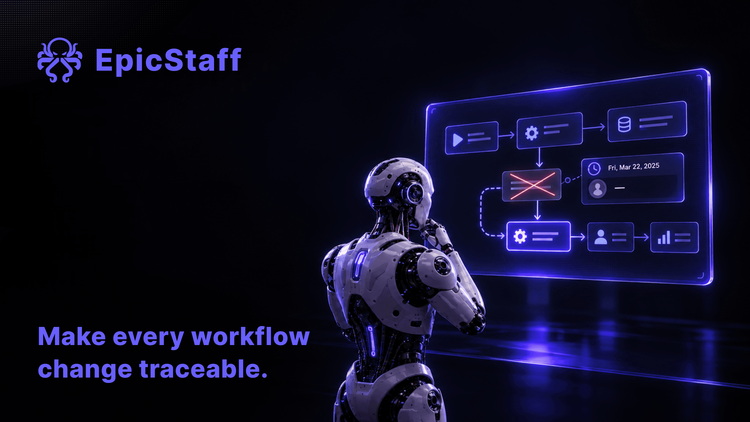
On Monday morning, a flow that worked last week gives different answers. The intake agent now skips a field it always filled in. Somebody changed something.
The tool shows that the flow was changed on Friday afternoon. It does not show who made the change, or what the flow looked like before. Three people have edit rights. All three say they only looked.
Probably nobody is lying. But nobody can check. The team spends the morning reading the flow step by step, trying to remember how it used to be.
What teams report
This story comes up again and again in user forums for automation and agent tools.
One team reported that they keep reference data in tables inside their automation tool. Their reporting workflows break when anyone changes those tables. They found no record that links a change to a person, and no way to get an older version back. The team now keeps a copy in a spreadsheet as a backup. In their own words, it is not a good answer.
Another user reported that he overwrote one of his own tables by mistake. He looked for a rollback, a version or a backup, and found none. He got the data back only because an old run happened to hold the whole table. The advice he received was to build his own scheduled backup step.
A third team reported a problem with deletion. They built a pipeline to delete recorded agent runs for compliance reasons. The delete request replied only that the runs were queued. It gave no job number, no count and no status. A week later, every run was still visible. The team could not tell whether their requests were wrong or still waiting.
Three teams, the same gap. Nobody could say who changed what, get the old state back, or prove that something was gone.
Why it matters more with agents
In a normal application, a change to a form is a change to a form. In an agent workflow, a small edit can change behaviour. A new sentence in a prompt, another tool on an agent or a new document in a knowledge base changes what the agent does on every run after it. If you need the short version, see what an AI agent is.
The flow, its prompts, its tools and its documents are part of the harness: the layer that decides what an agent may do and what gets written down. We asked who audits the harness in an earlier article. Change history is the everyday part of that question.
After a bad change, you need answers to four questions:
Who changed it? A name, not a guess. What did it look like before? A copy you can open and compare. Can I go back? In minutes, without rebuilding from memory. Is it really gone? When you delete something, a clear answer that the delete is done.
What EpicStaff records, and what it does not
Here is the plain answer for EpicStaff, one area at a time.
Who changed a flow. A flow records who created it and when it was last changed. It does not record who changed it.
Earlier versions. Saving a flow does not create a version. You save a version by hand, as a snapshot with a name you choose. A version does not record who saved it.
Going back. You can restore an earlier version. When you restore, you can choose to save the current state first.
Knowledge documents. A knowledge document records no user and no time. EpicStaff cannot tell you who added a document, or when.
Deletion. Flows, knowledge collections and documents are removed for good by default. The delete runs at once, and the reply says what was removed. There is no deletion status to check later.
People. Users are deactivated, not deleted.
Runs. Each run records who or what started it: a user, a user's API key, the system key, or a trigger such as a schedule, a webhook, Telegram, a parent flow or a manual start. When you export runs as JSON or CSV, every row repeats who started that run. This is recorded per run, not per message. We wrote about what a run record should hold in The agent finished. Nobody can say what it did.
So EpicStaff answers "who started this run?" and "can I go back?". It does not answer "who edited this flow?" or "who added this document?". For those two questions, the record has to come from your own process.
What to check in any tool, ours included
Ask these questions of any agent or automation platform. The last column is our own answer, gaps included.
| Question | What a good answer shows | EpicStaff today |
|---|---|---|
| 1. Does each change to a workflow record who made it? | A name and a time on every edit | No. A flow records who created it and when it was last changed, not who changed it. |
| 2. Can I open an earlier version? | Saved versions you can open and compare | Partly. Versions are snapshots you save by hand. A version does not record who saved it. |
| 3. Can I roll back? | A restore in one step, without losing the current state | Yes. You can restore an earlier version, and choose to save the current state first. |
| 4. Do knowledge documents record who added them, and when? | A user and a time on each document | No. A knowledge document records no user and no time. |
| 5. Can I prove that a deletion is done? | A clear result, or a status you can check later | Partly. The delete runs at once, and the reply says what was removed. There is no deletion status to check later. Removal is permanent by default. |
| 6. What happens to a person's history when they leave? | The account is closed, not erased | Users are deactivated, not deleted. |
| 7. Does each run record who or what started it? | A user, a key or a trigger on every run | Yes, per run. The JSON and CSV export repeats it on every row. |
Four habits that fill the gap
Where a tool does not keep the record, your process can. These habits work with EpicStaff today, and with most other tools.
Save a named version before each change. Put the date, your name and the reason in the version name, for example "2026-10-09 · Anna · intake prompt asks for postcode". The version itself does not record who saved it. The name you give it can.
Keep the flow in Git. Export the flow to a file and commit it under your own name. Git then records who changed the file, when, and with what message, and lets you compare two versions. Agree as a team that a change goes into EpicStaff only after it is in Git.
Keep source documents where changes are logged. Store the originals of your knowledge documents in a system that records who changed them, such as a document management system or a Git repository. Upload to EpicStaff from there. The history then lives at the source.
Keep the delete reply. The reply to a delete says what was removed. Save it in the ticket or change record that asked for the delete. That is your evidence that the delete happened. Before you delete, export or back up anything you may need again.
None of these habits is hard. Together they turn Monday's question, "who changed it?", into a two-minute lookup.
Q&A
How can I see who changed an AI agent workflow?
Check whether the tool records a name on each edit, not only a time. In EpicStaff, a flow records who created it and when it was last changed, not who changed it. To keep a name on each change, save a named version with your name in it, or keep the exported flow in Git.
Can I roll back a flow in EpicStaff?
Yes. You can restore an earlier version of a flow. Versions are snapshots you save by hand, so save one before each change. When you restore, you can choose to save the current state first.
Does EpicStaff record who added a knowledge document?
No. A knowledge document records no user and no time. Keep the originals in a system that logs changes, and upload from there.
Is a deleted flow gone for good in EpicStaff?
By default, yes. Flows, knowledge collections and documents are removed for good. The delete runs at once, and the reply says what was removed. There is no deletion status to check later, so keep the reply with your change record.