One key, every client: the quiet risk inside your automation server
Everyone is admin, one key opens every workflow, and client data shares one server. How to apply least privilege to AI agents, with a checklist.


The first account on a new automation server is an admin account. That is normal. Someone has to set the server up.
Then a colleague needs to build a flow, and the quickest way is to make them admin too. A script needs to start runs, so it gets a key. The key goes into a config file. A second client arrives, and their work goes onto the same server, because the server is already there. A year later, five people are admin, one key opens every workflow, and the data of three clients sits in one database.
Nothing has gone wrong. No alarm has sounded. That is what makes it quiet. The risk is not an event. It is a shape, and it grows a little with every shortcut.
What teams report
This pattern comes up again and again in user forums for automation and agent tools. One team built AI workflows whose agents call outside services, read internal databases and write to shared documents. When they handed the work to a small team, they found no clean way to say which people and which workflows may use which credentials. Another user wanted an agent to act for a person without a key that lives for ever in a config file. They asked for short-lived keys, narrow rights and an easy way to cancel them. The tools they found were not built for that.
Clients are the third part. One user planned a single shared server for outside customers who do not trust each other. Experienced users answered that projects on that server were for teamwork, not walls: admins could see every credential and every run, and all projects shared one database and one encryption key. Their advice was a separate installation per customer.
Larger organisations meet the same root in a different form. One administrator of a big rollout could not stop users from publishing agents without also taking away rights they needed for other work. Another self-hosting team found that their API keys saw what the workspace owner saw, whoever had made the key.
Why agents make this sharper
A person with admin rights still uses judgement. They open one record, then another. They hesitate before they delete something.
An AI agent does not hesitate in the same way. It reads, decides and acts through tools, quickly and many times in a row. If you need the short version, see what an AI agent is. Whatever its credentials can reach, the agent can reach. A wrong instruction, a confusing document or a simple bug then meets every right the key carries, all at once.
So with agents, access is not a detail of the setup. It sets the size of the possible mistake. Every tool you attach makes it larger; we wrote about that in every tool you give an agent is a door you leave open.
Least privilege, in three questions
Least privilege is an old idea. Each person, program and key gets only the access its task needs, and nothing more. For a server that runs AI agents, it comes down to three questions.
Who may do what? Not everyone needs to be admin. Most people build or run flows. Some only need to read results. A few need to manage users and credentials. A role model with only "admin" and "user" forces you to give too much.
What can each key reach? A key shared by a whole team is hard to trace and hard to cancel. If it leaks, you cannot tell whose it was, and revoking it breaks everything that uses it. A key that belongs to one person and carries that person's rights is easier to reason about. A key that expires limits the damage of a key that someone forgot.
Where does one client end and the next begin? This is the hardest question, and the one most often answered with hope. The plainest answer is also the oldest: give each client its own installation, its own database and its own encryption key. A wall you can point to is easier to defend in an audit than a setting you have to trust.
How EpicStaff answers the three questions
EpicStaff runs on your own infrastructure, so the server, the database and the people who manage them are yours.
People. An admin gives each user a role, and each role says what that user may do with flows, agents, tools and credentials. The built-in roles are Org Admin, Member and Viewer. An organisation can also make its own roles, with create, read, update, delete, export, use and list rights for each area.
Credentials. Tool credentials are kept as encrypted secrets of your organisation, not written into the flow. Only roles with the right to use credentials can connect a stored credential to a tool. A role's "use" right on credentials covers all of the organisation's credentials. EpicStaff does not limit a role to some credentials and not others.
Agents. In EpicStaff, an agent reaches another system only through tools your team attaches to it: Python tools (your own, or ready-made ones EpicStaff ships) or an MCP server your team connects. Each agent gets its own set of tools; one agent's tools are not shared with every other agent. When a tool needs access, the link is explicit: each tool uses only the stored credentials it is given; credentials belong to the organisation, not to a single flow.
Keys. API keys belong to a user and carry that user's own rights. A user's key can expire, and it can be revoked. There is also one installation key, set by the operator. It has full rights and does not expire. To replace it, the operator sets a new value and restarts EpicStaff; the old key then stops working. Store it like a root password, and keep it out of daily scripts.
Clients. Run one installation per client. Each client gets its own EpicStaff installation on infrastructure you run.
A self-audit for any tool, ours included
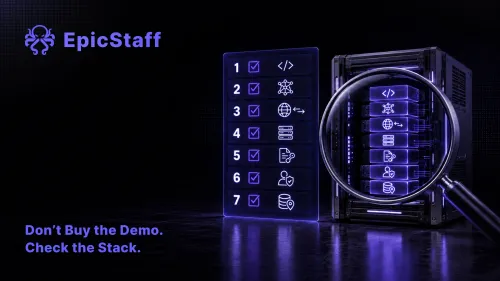
Use this table with any agent or automation server you plan to run. The last column is our own answer, gaps included.
| Question | What to look for | EpicStaff today |
|---|---|---|
| 1. Can I limit what each person and each key can reach? | Roles with rights per area, and keys tied to one person | Yes. Each user gets a role. API keys belong to a user and carry that user's own rights. |
| 2. Are there more roles than "admin" and "user"? | Built-in roles, plus roles you define yourself | Yes. Org Admin, Member and Viewer, plus roles you define, with rights per area. |
| 3. Who may connect a stored credential to a tool? | A named right, not "anyone who can edit" | Only roles with the right to use credentials. |
| 4. Can I limit a role to one credential? | Rights per credential | No. The "use" right covers all of the organisation's credentials. |
| 5. Can a user's key expire, and can I revoke it? | Expiry and revoke for each key | Yes. A user's key can expire, and it can be revoked. |
| 6. Is there a key with full rights? | Where it is kept, and who holds it | Yes: the operator's installation key. It has full rights and does not expire. Guard it, and replace it if it may have leaked. |
| 7. Does each agent get only its own tools? | Tools per agent, not one shared pool | Yes. Each agent gets its own set of tools. |
| 8. Are secrets kept out of the flows? | An encrypted store, no keys inside flow files | Yes. Tool credentials are kept as encrypted secrets of your organisation. |
| 9. How are clients kept apart? | A separation you can show an auditor | By installation. Each client gets its own EpicStaff installation, with its own database and its own keys, set by you at install, on infrastructure you run. |
A "yes" in this table is a starting point, not an end point. Who holds the Org Admin role, which roles get the "use" right, and where the installation key lives are your decisions. Write them down before the first agent runs.
Q&A
What does least privilege mean for AI agents?
Each person, each key and each agent gets only the access its task needs. With agents this matters more, because an agent acts quickly and can use every right its credentials carry.
Should several clients share one AI agent server?
The plainest separation is a separate installation for each client. With EpicStaff, that means one EpicStaff installation per client, on infrastructure you run.
Do EpicStaff API keys expire?
API keys belong to a user and carry that user's own rights. A user's key can expire, and it can be revoked. The installation key set by the operator has full rights and does not expire, so guard it. To replace it, the operator sets a new value and restarts EpicStaff; the old key then stops working.
Can I limit an EpicStaff role to one credential?
No. A role's "use" right on credentials covers all of the organisation's credentials. Only roles with the right to use credentials can connect a stored credential to a tool.