The long task ran out of room
A long AI agent run can outgrow the model's context window and stop mid-task. Seven checks before you rely on long agent runs.
A short test proves that an agent can do the work. It does not prove that the agent can do all of the work in one run.
At each step of a run, the agent sends the model its instructions, the history of the run so far, the descriptions of its tools and every result those tools sent back. The model can read only a fixed amount of text in one call. That amount is its context window, counted in tokens, which are small pieces of text. A chat fills the window one message at a time. A long run can fill it in a few steps, because each tool result joins the history that the next step sends (for the parts of an agent, see What is an AI agent?). For the same limit in a chat that keeps growing, see The chat that cannot start over.
Two reports from this year show what happens when the work gets bigger than the room.
Two reports from long runs
The step that should save space used the most. A team reported on an agent framework's issue tracker in August 2026 that a task failed in their production task scheduler, which ran an agent on a cloud deployment. The framework has a summary step. When the history gets long, it asks the model to summarise the older part, so that the run can continue in less space. The reporter read the framework's code. The summary step was meant to shorten the history before sending it, but in the setup the framework built, that shortening was switched off. So the summary request carried the whole history, nearly twice the size the model accepts. The model refused it with an error. In the build the team ran in production, nothing caught that error, and the agent crashed.
Another user checked the code, agreed with the reading and offered a fix in their own copy of the project. Three weeks later, a project contributor closed the issue as not planned. They wrote that the setting was deliberate, and that the real fix probably belongs in the way tokens are counted.
The error said "internal". A developer reported on a framework's community forum in June 2026 that a hosted agent, called from their own web app, had started to fail. It had always worked, and they had changed nothing. The error called itself a rate limit error and said that an internal error had occurred. Their app also returned a server error, and they could not tell if the fault was in their code or on the server. After three days, and after the developer shared a trace of the run, an experienced forum member found the cause: the model provider's limit on tokens per minute. This one run asked for a large share of that allowance, and together with earlier calls it went over. The developer did not reply after that.
That is a different limit from the context window. A context window caps one call. A rate limit caps the tokens a provider accepts in a period, across calls. Both are size limits, and in both reports the size of the work was the cause.
What the two have in common
In both cases, the agent met a limit that short tests had never come near. In both, the team found the cause only by reading something the error did not show: the framework's code in the first report, the run trace in the second.
Every run has a size at which it stops. The question is whether you find it in a test or in production.
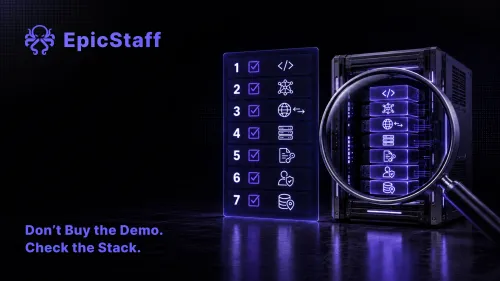
Seven checks for long agent runs
These checks apply to any platform that runs agents on long tasks, ours included. Where EpicStaff answers a check, the answer is under it.
1. Know what happens at the limit
When the next call no longer fits, a platform can stop with an error, cut the older history, or replace it with a summary and carry on. An error stops the work, but someone sees it. Cutting and summarising let the run continue, with less of what it knew. A summary is also a model call with its own limit, as the first report shows. Ask what your platform does, and what happens when that step fails too.
In EpicStaff: When an agent's run grows past the model's limit, that step stops with an error.
2. Find out whether you can cap history or tool-result size
Some platforms and frameworks let a builder set how much history a step sends, or how long a tool result may be before it is cut. Find out whether yours does, where the setting is, and what happens to the part that is dropped. Where there is no such setting, the cap has to live in the tools and in the design of the task.
3. Check that the run record names the cause
When a long run fails, the record should say that a size limit was the cause, in words that the person on call can read at night. "Internal error" sends people to the wrong place. Start a run that you know is too large, on purpose, and read what the record shows. For what else a run record should hold, see The agent finished. Nobody can say what it did.
In EpicStaff: The run is marked failed and shows the provider's error message.
4. Know how large a single tool result can be
Most tool results go to the model in full, so a very large result can fill the context on its own. A tool that reads a file, a web page or a database table returns as much as it finds. For each tool, ask how large its result can get on your largest real data, and whether the tool can return less: one page of rows, a list of matches, or an extract instead of the whole document.
5. Check whether a long task can be split into steps
One run that reads two hundred documents carries every earlier result into the next step. Ten smaller runs, or a flow whose steps pass on only a short result, each start with a small history. Find out whether and how your platform lets you split a task, and what passes from one step to the next. Then design the task so that no single step has to hold the whole job.
6. Decide who watches token use per run
Token use per run shows that a task is growing long before it reaches a limit. It also explains cost. Name someone to read it per agent, every week, with a number at which they act. A run that uses twice as many tokens as last month needs a look, even if it did not fail. For limits that stop a run while it is still going, see Who stops the loop?
In EpicStaff: EpicStaff records the tokens each step used, and the total for the run. A builder sets, per agent, the maximum number of iterations, tool calls and consecutive failures; the agent stops when it reaches one.
7. Test with the largest real input before go-live
Short test inputs prove the logic, not the size. Before the agent goes live, run it once on the largest real input it will meet: the longest document, the biggest customer file, the busiest day's queue. Read how many tokens each step used, and how close the largest step came to the model's limit. Repeat the test when you change the model, the tools or the instructions. For more on testing agent workflows, see You cannot test an AI agent like normal code. You can test most of the workflow.
Size belongs in the design
A long task has a size, as surely as it has steps. Size is easy to leave out of a design, because short tests pass without it. Both teams above met the size of their work in production, and both needed code or a trace to see it.
Put the size on the design page: the largest input, the tokens per step, the model's limit, and what happens at that limit. Then the first run at full size is a test you planned, not an outage.
Questions & Answers
What is the difference between a context window and a token rate limit?
A context window is the most text a model can read in one call. A rate limit is the most tokens a provider accepts from your account in a period, often a minute, across all calls. A long run can hit the first with one large call, and the second with many calls close together. The fix differs too: smaller calls for the first, fewer or slower calls for the second.
How do I split a long AI agent task into smaller steps?
Look for a natural unit of work: one document, one customer, one ticket. Let one step handle one unit and return a short result, such as a summary or a few fields. Let a final step combine the short results. Each step then starts with a small history, and a failure stops one unit, not the whole job.
Why did my AI agent fail on a real task when all the tests passed?
Most tests use short inputs, so they never come near the model's limit. A real task can read longer documents, get larger tool results and take more steps, and every step adds to the history that the next one sends. Run the agent once on your largest real input and compare its token use with your tests.
What happens when an EpicStaff agent run grows past the model's context window?
When an agent's run grows past the model's limit, that step stops with an error. The run is marked failed and shows the provider's error message. EpicStaff records the tokens each step used, and the total for the run.