The agent finished. Nobody can say what it did.
The run ended, the screen turned green, and the work is not done. A status is a summary. A record is the evidence behind it — what a useful run record holds, who reads it, and what to ask any tool before you trust it.

The run ended, the screen turned green, and the work is not done. When someone asks which tool the agent called, what it sent and where it stopped, many teams have no answer to give. If the term is new to you, start with what an AI agent is.
A green status is not a record
A status is one word that stands for many steps. "Done" tells you the runner reached its end. It does not tell you that the booking was stored, that the email went to the right person, or that the agent called the tool it said it called.
The pattern repeats across tools and teams. An agent reports that it saved a record, but it never made the call; it only wrote a sentence that sounds as if it did. The screen shows a run as successful while the database marks the same run as crashed. A run hangs after its first step with no error and no time-out, and the stored record is empty, so it cannot say where it stopped. A failed request leaves no run behind at all, not even a failed one. And when someone needs an older run, the record has already been deleted.
None of this is exotic. It is what happens when the status is treated as the record. A status is a summary. A record is the evidence behind it.
There is a second trap. If you ask the agent what it did, it will answer, and fluently. That answer is text the model produced, not a log of what the system did. It can be right. It is not proof.
What a useful run record holds
A useful run record answers the questions people ask after a run, without anyone opening the code. In practice that means six things.
- Each step, in order. What ran, when it started and when it ended.
- Each tool call, with input and output. What the agent sent to the tool, and what came back. "Success" on its own is not an output.
- Where the run stopped. The last step that started and the last step that finished. For a run that hangs, that gap is the whole answer.
- One status. The screen and the stored record say the same thing. If they can disagree, you need to know which one is true.
- Links between runs. When one flow calls another, the child run points to its parent, so you can follow one job through all its parts.
- Enough time. Records are kept long enough to look back when the question arrives, which is often weeks later and rarely on your schedule.
The record should be written by the system that runs the work, not narrated by the model inside it.
When a run did something wrong
A run that fails loudly is the easy case. Someone sees the red mark and looks. The hard case is a run that finished, showed green, and did the wrong thing: it sent a message twice, wrote a wrong value into a customer record, took the wrong branch, or confirmed a step that never happened.
Then the questions get specific. What did the agent see? What did it decide? What did it send, to which system, and when? Did it do this once, or on every run since Tuesday?
Without a record, the team rebuilds the story from the other end. They search the target systems for traces, compare timestamps, and ask the agent, which leads back to text that is not evidence. Teams that have lived through this build their own side records: a row written at the end of each job, a spreadsheet of run IDs, a watchdog that restarts things when a run sits too long. These work. They are also a sign that the team now maintains a second system to make up for a record the tool did not keep.
The real cost of a wrong run is rarely the error itself. It is the days spent agreeing on what happened before anyone can fix it.
Who needs to read it
A run record has at least three readers, and each asks different questions of the same data.
The operator reads it now. A run is slow or stuck, and they need to know which step and why, while there is still time to act.
The team lead reads it this week. Is the process working? Which step fails most often? Is the agent calling tools it should not need?
A reviewer reads it later, sometimes much later. A customer complains, an internal review opens, or a regulator asks what the system did on a given day. This reader did not build the flow and may never have seen it run. The record has to make sense without its author in the room. The same reader may also ask who audits the agent harness.
If only the engineer who built the flow can read the record, the business does not have one.
What to check in any tool
These are questions for any vendor, ours included. Ask them about the version you would install, and ask to see the answer on a real run.
- Can I follow each step of a run while it happens, not only after it ends?
- For each tool call, can I see what was sent and what came back?
- When a run hangs, does the record show the last step that started?
- Can the screen and the stored record ever show different statuses? If yes, which one is true?
- Can I export a full run, with every tool call, in a format my own tools can read?
- How long are run records kept, and who decides?
- Is the record written by the runtime, or described by the model?
How EpicStaff answers these.
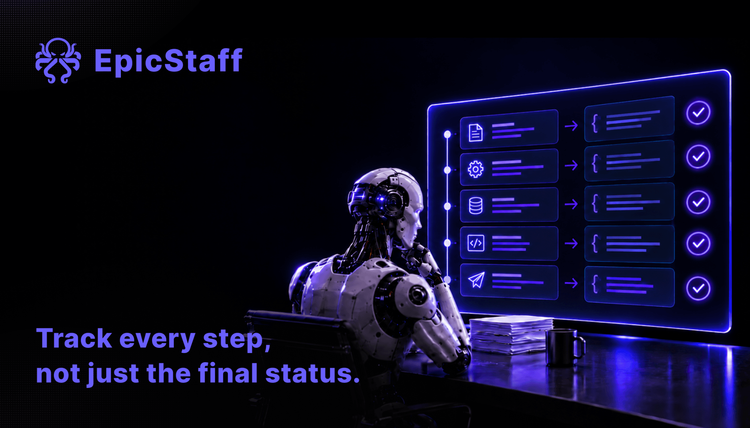
Each step, while it runs. EpicStaff flows are built from separate steps (nodes). While a run happens, you can watch each node start, see what it received and what it returned, and see any error.
Tool calls and export. The session export (JSON) includes the tool calls the agent made: which tool, what it was sent and what came back. Tool inputs and outputs longer than 2,000 characters are cut off at that length; they are never summarised.
A run that hangs. EpicStaff saves each step's start as it happens, so a run that hangs still shows the last step that started.
Screen and record. The live screen can briefly lag behind; the stored run record is the source of truth.
How long records are kept. Run records stay in your own database until someone with delete rights removes them; the standard release does not delete them on a schedule.
Who writes the record. The run record is written by EpicStaff as each step and tool call happens, not summarised afterwards by the model.
EpicStaff runs on your own infrastructure, so the run record sits in your own database.
Q&A
How can I see what my AI agent actually did in a run?
Look at the run record the platform writes, not at the status or at the agent's own summary. A useful record lists each step in order, each tool call with its input and output, and the point where the run stopped. If your tool shows only a final status, you are looking at a summary, not at what happened.
Why does my workflow say success when the job is not done?
A success status usually means the runner reached its last step without an error. It does not prove that the work arrived in the target system, and in some setups the screen and the stored record can disagree. Check the result in the system the run was meant to change, and compare it with the step-by-step record.
What should an AI agent run log include?
Each step with its start and end time, each tool call with what was sent and what came back, and the last step that started and finished. It should carry one status that the screen and the database agree on, and link child runs to their parent run. It should be written by the runtime, not described by the model, and kept long enough to answer questions that come weeks later.
Can EpicStaff show what each step of an agent run did?
EpicStaff flows are built from separate steps (nodes). While a run happens, you can watch each node start, see what it received and what it returned, and see any error. The session export (JSON) includes the tool calls the agent made: which tool, what it was sent and what came back. Tool inputs and outputs longer than 2,000 characters are cut off at that length; they are never summarised. EpicStaff runs on your own infrastructure, so the run record sits in your own database.