Every tool you give an agent is a door you leave open
Most teams can say what their AI agent is supposed to do. Far fewer can say what it is able to do, and the distance between those two answers is where the surprises come from.

Most teams can say what their AI agent is supposed to do. Far fewer can say what it is able to do, and the distance between those two answers is where the surprises come from.
The prompt is not the permission. The tool list is.
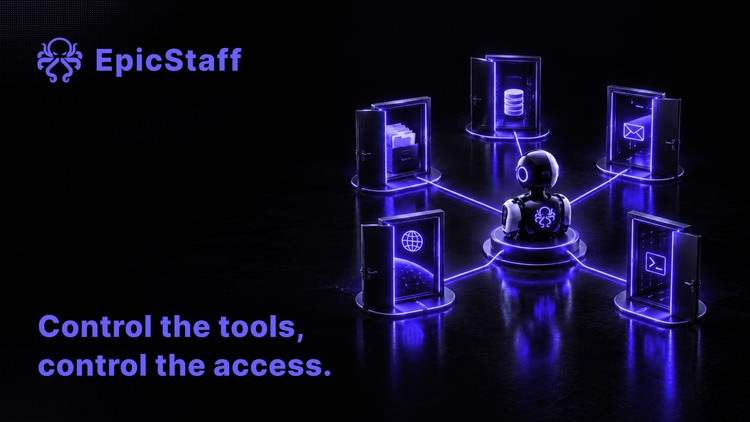
An AI agent is a language model with a set of tools and a loop. The prompt tells the model what you want. The tools decide what it can actually touch: which systems it can read, which records it can change, which messages it can send.
The two are easy to confuse, because the prompt is where the team spends its time. People write careful instructions: only look up orders, never refund above a limit, do not contact customers. They shape what the model tries. But they are advice to the model, not a rule the system enforces. If the agent holds a tool that can issue a refund, the agent can issue a refund, whatever the prompt says.
So the real answer to "what is this agent allowed to do?" is not in the prompt. It is in the list of tools attached to the agent, and in what each of those tools can reach.
Why agents use tools nobody planned for
Teams that run agents on real work describe the same surprise again and again: the agent calls a tool that nobody expected it to call.
The mechanism is simple. A model sees every tool it has been given, at every step. It is trained to be helpful, so when a tool looks relevant, it uses it. One team reported giving a marketing agent a long list of tools. Asked for one small thing, the agent also wrote its results into a spreadsheet nobody had asked for. Nothing broke. But nobody had decided that this agent, for this request, should write files. A call like that only shows up if there is a run record that lists every tool call.
Other cases are less harmless. An agent that holds a full-access key to a customer system can bulk-update or delete records, and nothing in the set-up stops it. A support agent with a valid key can end a normal conversation by issuing a refund that should never have gone out, with no attack involved. An agent with a raw database connection can run any query that the connection allows.
None of this needs a clever attacker. It needs only a tool that reaches further than the job, and a model that finds a reason to use it. Add an attacker, for example text in an email or a web page that tells the agent what to do, and the same wide tool now works for someone else.
Give each agent the narrowest set that does the job
The fix starts with a habit, not a product. Choose tools per agent, and choose the smallest set that does the job.
Start from nothing. For each tool, ask what the agent cannot do without it. If the answer is "nothing important", leave it out. A tool that is not attached cannot be called, misused or turned against you.
Prefer narrow tools over wide ones. A tool that looks up one order by its number is easier to reason about than one that runs any query on the orders database. The wide tool is quicker to build. The narrow tool is the one you can explain to an auditor.
Be careful with general-purpose tools. A shell, a code runner or an open web fetch is not one tool. It is every action that can be taken from that place. A list of allowed commands helps less than it seems if the agent can write a short script that does the same thing another way.
Know what each tool can reach
A tool's name says what it is for. It does not say what it can reach. For every tool on the list, write down four things.
- Network. Which addresses can it call? One internal service, or anywhere on the internet?
- Files. Which folders can it read or write?
- Data. Which records can it see, and can it change or delete them?
- Other systems. Which credentials does it carry, and what do those credentials allow?
The tool is often fine. The key behind it is the problem. A narrow tool with a full-access key is a wide tool, held back only by its own code, and agents are good at finding the edges of code.
Review the tool list like an access list
Security teams already know how to handle this. They keep access lists for people and service accounts, and review them on a schedule. An agent's tool list deserves the same treatment. The same question applies one level up, to the platform itself: who audits the agent harness?
Review it when the agent changes: a new task, a new tool, a new model, a new data source. Review it when a tool changes, because a new version of a connector can add actions you did not have before. And review it on a calendar, because tool lists tend to grow and rarely shrink.
Keep one place where anyone can see, for each agent, which tools it has and what each tool reaches. If that answer lives in one person's head, you do not yet know what your agent is allowed to touch.
Review your tool list in four steps
Pick one agent and do these four steps this week. They work with any platform, ours included.
- Write down every route out. List the agent's tools, and check that the tool list is the only way it reaches other systems. Also note where the platform itself connects out, apart from the tools you attach.
- Give the agent its own set. Check that the agent has its own tools, not one shared set for every agent. Remove any tool it can do its job without.
- Map what each tool reaches. For each tool, note the addresses, files, data and systems it can reach. If your platform does not show this, look in the tool's own code and settings.
- Narrow the keys. For each tool, find the credentials it uses and limit them to what the tool needs. Then put the next review in the calendar.
How EpicStaff fits these steps.
For step 1: in EpicStaff, an agent reaches another system only through tools your team attaches to it: Python tools (your own, or ready-made ones EpicStaff ships) or an MCP server your team connects. MCP is the Model Context Protocol, a common protocol for connecting a tool server to an agent. EpicStaff connects out only to the providers you configure keys for. Tools do what you tell them: a tool you build or enable that reaches the internet is your choice and your configuration.
For step 2: each agent gets its own set of tools; one agent's tools are not shared with every other agent.
For step 4: each tool uses only the stored credentials it is given; credentials belong to the organisation, not to a single flow.
Step 3 stays with you: what a tool reaches depends on its own code and the key behind it, so check it tool by tool.
Q&A
What permissions does an AI agent have?
An AI agent can do whatever its tools can do. The prompt shapes what the model tries, but it does not stop anything. To know what an agent is allowed to touch, list the tools attached to it and what each tool can reach: network, files, data and other systems.
Why does my AI agent call tools I did not expect?
A model sees every tool it was given and uses one when it looks relevant to the request. If an agent holds more tools than the task needs, it will sometimes use them for work nobody asked for. Give each agent the smallest set of tools that does its job, so there are fewer wrong calls it can make.
How do I limit what an AI agent can access?
Start each agent with no tools and add only the ones it cannot do the job without. Limit the credentials behind each tool to what that tool needs, and review the list when the agent, its tools or its model change.
How does an AI agent in EpicStaff reach other systems?
In EpicStaff, an agent reaches another system only through tools your team attaches to it: Python tools (your own, or ready-made ones EpicStaff ships) or an MCP server your team connects. Each agent gets its own set of tools; one agent's tools are not shared with every other agent. Each tool uses only the stored credentials it is given; credentials belong to the organisation, not to a single flow. EpicStaff connects out only to the providers you configure keys for.