What runs live is not what you tested
Saved is not live, and a test is not production. Why an agent workflow needs versions, a run-to-version record and a deliberate step to live.

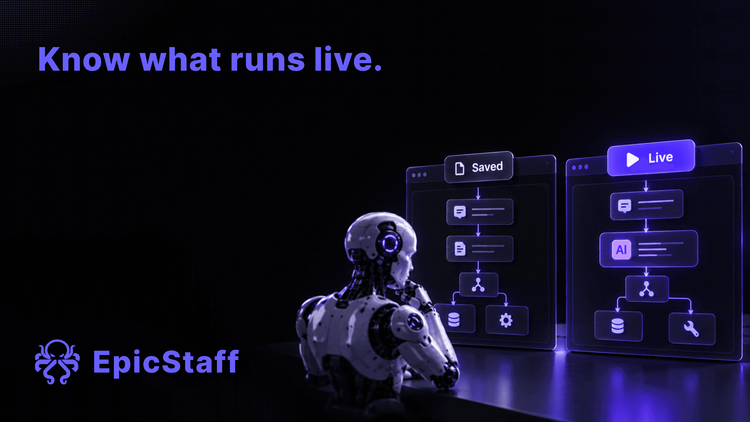
You change a prompt. You test it, and it works. You save it. A week later the agent still does the old thing, and nothing on the screen told you. Or the reverse: nobody touched the agent, and one morning it starts to give empty answers.
This is one of the quiet problems of agent work. Nothing crashes. Every run looks normal. The simple question "which version ran?" has no answer.
An agent workflow is software
Look at what an AI agent is: a model, instructions, tools and steps, put together to do a job. Change any one part and you have a different program. Teams know this about code. With agent workflows they often forget it, because the editor feels like a document, not a release.
Software teams solved this long ago with three habits. Every change has a known version. Every run says which version it used. And there is a deliberate step from "tested" to "live". Agent workflows need the same three. Most of the pain below comes from missing one of them.
Four ways the live agent drifts from the one you built
Saved is not published. Many tools keep a draft that you edit and a version that production runs. That is a good design. It becomes a trap when the screen does not make the gap loud. One team reported that a schedule change sat saved but never published. The old schedule kept running, and kept costing money, until someone added up the bills per workflow. Others reported a chat bot that ran old logic for weeks, and form fields that looked right in the editor but ran empty in production. In each case the person believed the change was live. Nothing said otherwise.
Published is not running. Here the user did press publish, and the old version still ran. One self-hosting team reported that a publish took effect only after a restart of the server, and later got stuck again. Another reported runs after a publish that still used the old version, with no cause found. If you cannot see which version a run used, you cannot even tell which of these two problems you have.
The test is not production. A test pane is a different path. It may use a different identity, a different channel, different permissions, sometimes a different model setting. One team reported an agent that worked for its builders and failed once it was shared with real users, because those users had different access. Another found that a model worked in testing and, in the live chat channel, answered only with an apology. A test that does not run the way production runs is not a test. It is a preview.
Nobody changed it, but it changed. An agent depends on things you do not own: the model behind it, the vendor's runtime, a base image. One team reported an agent that worked for months and then gave blank answers. Their own finding was that the model under it had been updated without notice. Another team saw a vendor retire a preview feature under a live agent, and no setting on their side could fix it. Your version did not move. The behaviour did.
What good practice looks like
This needs the habits you already use for code, not a platform project.
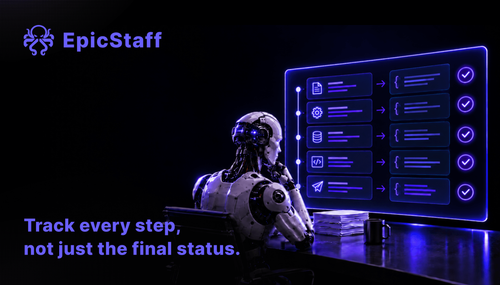
Give every change a version. Every save that can run needs an identifier and a short note. If it can reach production, it needs a name you can point at. Pin what you depend on. Name the model version, not "the latest". Know which runtime and image you run on. A vendor change should arrive as a decision you make, not as a surprise. Record the version on every run. Each run should store which workflow version, which model and which settings it used. This is the link between "what we changed" and "what happened". Without it, a strange result next Tuesday cannot be traced. It belongs in what a useful run record holds. Make the step to live deliberate and visible. Tested and live are two states. Moving from one to the other should be a clear action, by a known person, with a time stamp. The screen should show which version is live and warn when saved changes are not live yet. A publish should take effect when it says it does, not after a restart. Test on the production path. Test with the same kind of identity, the same channel, the same model and the same permissions as real users. Where that is not possible, write down what differs, so a strange result has a first place to look. Keep the workflow as a file. If you can export a workflow, you can keep it in Git, compare two versions line by line, review a change before it goes live, and roll back. A workflow that lives only inside a database is hard to review and hard to restore. A small team can start with points 3 and 4 alone. Together they turn "the agent does something odd" into "the version we made live on Tuesday does something odd".
There is real tension here. Version control slows the first week. Builders like to change a prompt and see the result at once. A strict release step can feel like paperwork for something that is "just a prompt". But the cost of skipping it comes later, and it comes as doubt: nobody can say which agent answered the customer. That doubt costs more than a release step.
Three questions for the next demo
"Show me which version is live now, and which version yesterday's runs used." A good answer is a screen, not a promise: a version on the live workflow, and that same version on each past run. "I change the prompt and save. Is it live?" A good answer is a clear yes or no on the screen, plus a visible warning when saved changes are not live yet. "When the vendor updates the model, what happens to my live agent?" A good answer names a pinned model version and says that a change reaches the live agent only when you choose it.
Where EpicStaff stands
You can save named versions of a flow and restore an earlier one. A normal save does not create a version, so save a named version before a change you may want to undo.
Each run keeps a copy of the flow exactly as it ran. That copy is not linked to a named version. EpicStaff has no test or staging state, and no step that promotes a flow to live.
If you want a test copy, keep a separate test flow, and save a named version of the live flow before you change it, so you can restore it.
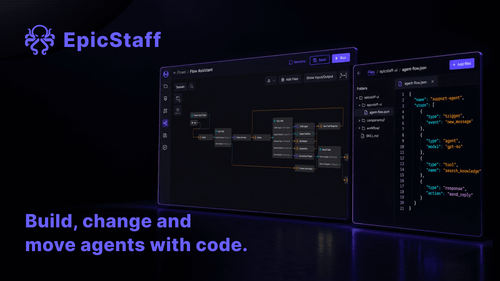
A flow can be exported to and imported from a JSON file, without secret values, so you can keep it with your code.
For the third question, ask your model provider whether you can pin a specific model version.
Q&A
How do I version an AI agent workflow?
Give every change that can run an identifier, export the workflow as a file where you can, and keep the files in Git. Record the version on every run, so you can trace a result back to the change behind it.
Why does my AI agent work in testing but fail in production?
The test path often differs from the live path: another identity, other permissions, another channel or another model setting. Test on the same path that real users take, or write down what differs.
Can a model update change my agent without warning?
Yes, if the agent points to "the latest" model. Pin a specific model version where the vendor allows it, and treat a model change like a code change.
Does EpicStaff keep versions of a flow and show which version a run used?
You can save named versions of a flow and restore an earlier one; a normal save does not create a version. Each run keeps a copy of the flow exactly as it ran; that copy is not linked to a named version. EpicStaff has no test or staging state, and no step that promotes a flow to live. A flow can be exported to and imported from a JSON file, without secret values, so you can keep it with your code.