How much load can it take? Runs at the same time
Long jobs time out or hold up other work, and nobody knows how much load the tool takes. Five questions to ask about runs at the same time.

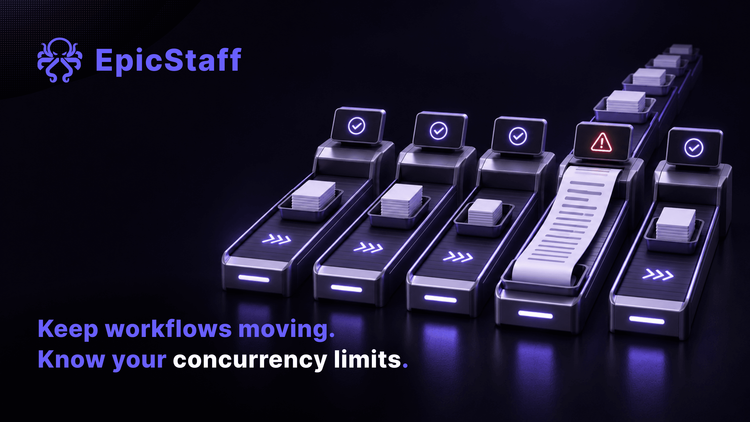
How many runs can your workflow tool handle at the same time? Ask three people on your team. You may get three answers, or none.
One team asked a public forum this exact question before they bought servers for voice-agent workflows. On the hosted plan, the limit depended on the plan. For the version they would run themselves, they wanted to measure how much load it could take before they chose the size of their servers, and they asked people who run it in production for their numbers.
It is the right question. Most teams ask it too late: after a long job times out, or after one client's work holds up another client's.
What the reports show
One team reported three scheduled workflows that start one minute apart each morning. On about six mornings out of ten, all three crashed together within seconds. The same workflows, three hours later, always succeeded. The run said only "Unknown error". The reporter asked two plain questions: is there a memory limit, and if so, how high is it and what can they do about it? When we read the issue, no maintainer had replied to it.
A user who ran one installation for several clients reported that it took them a week to find out why one client kept complaining that webhooks were dropped. The cause was in another client's work: a polling loop of about two minutes that held up all the other work.
A third user found that once their tool's limit on runs at the same time was reached, incoming webhook calls got no reply at all. The health checks still passed, so the monitoring saw nothing wrong.
In each case, the limit was real. Nobody could see it until something hit it.
For what happens when one workflow takes the whole server down, see The workflow that took everything else down with it.
Load is about sharing
A tool takes load the way a shop takes customers. A number of tills are open. A long order holds one till. When every till is busy, the next customer waits, and some customers leave.
So three things decide how much load your setup takes. How many runs can go at once. What those runs share while they go. And what you can switch off or stop when one of them goes wrong.
The part that hands out the tills is the harness, the layer around the model that runs your agents and your flows. For who checks that this layer does what it says, see who audits the harness.
What to check in any tool, ours included
Ask these about the version you would install, on hardware like yours. Our own answer follows each question. An agent step is a step where a model works with instructions and tools (see what an AI agent is). EpicStaff calls a run a session. The operator is the person who runs the installation.
How many runs can go at once, and who decides? EpicStaff: the operator sets how many runs go at once, as one number for the whole installation.
Does one long step hold up other runs? EpicStaff: partly. A long step does not stop other runs from starting, up to the number of runs allowed at once; past that, new runs wait for a free place. Agent steps from all runs share the same places for agent work, so many long agent steps make other runs' agent steps wait.
Can I switch one workflow off without stopping everything? EpicStaff: partly. EpicStaff has no single on/off switch for a whole flow. A schedule trigger can be switched off on its own, and a flow's chat-widget connection can be turned off. Webhook and Telegram triggers have no switch: they start the flow whenever a valid call arrives.
Can I stop one run without touching the rest? EpicStaff: yes. Any running session can be stopped without touching the installation: from the session list, the all-sessions page or the running-flow view, or through the API. Other runs carry on.
How do I add capacity? EpicStaff: on one host. EpicStaff does not spread runs over more servers for you: the shipped setup runs one copy of each service on one host. The operator can raise concurrency on that host: more worker processes for the main API, the voice service and the knowledge service, and run limits for flows and for agent work. The two run limits set how many flow runs go at once (25 by default) and how many agent steps go at once (10 by default).
When you ask about the stop, in any tool, also ask how fast it acts. A stop that takes effect in seconds is a different tool from one that waits for the step to finish.
Find your own number
A vendor can tell you which settings exist. Only a test tells you what your server does with your flows. Do it on a quiet day, on a copy, never on the server your clients use.
- Copy one real flow. Keep a real agent step and a real tool call in it. A test with empty steps measures nothing you will meet.
- Start runs at the same time, in rounds. A few, then more, then more again. For each round, note how long the runs take to start and how long they take to finish.
- Add one long step to one run. Watch the others. Do they start? Do their agent steps wait?
- Write the settings next to each result. A number without the operator's settings beside it means nothing after the next change.
- Run the same test after every upgrade. Speed that held last month may not hold after an upgrade, and nothing will tell you.
So, how many runs can your tool take at the same time? After this test you can give a real answer: a number, measured on your own server with your own flows, written next to the settings that produced it. Put that answer where the next person who asks will find it.
Questions & Answers
What does concurrency mean in an AI workflow tool?
Concurrency is how many runs, or parts of runs, a tool works on at the same time. A tool can have more than one such limit: one for whole runs, and a separate one for steps that call a model. When a limit is full, many tools make new work wait in line. Then the first sign is runs that start late, not an error message.
Why does one slow step make other runs wait?
Runs share what the server has: places for runs, places for model calls, memory and processor time. A slow step keeps its place until it ends. When enough slow steps hold places at the same time, other runs have nowhere to go, so they wait, even when their own steps are short.
How do I size a self-hosted workflow tool?
Start from your own load, not from a vendor's number. Count how many runs start in your busiest hour and how long a typical run takes. Then test a copy of one real flow on hardware like yours, raise the number of runs at once in rounds, and note where start times begin to grow. Leave room above your busiest hour, for growth and for the one long run you did not plan.
Can EpicStaff spread runs over more servers?
EpicStaff does not spread runs over more servers for you: the shipped setup runs one copy of each service on one host. The operator can raise concurrency on that host: more worker processes for the main API, the voice service and the knowledge service, and run limits for flows and for agent work.