Who decides when the model behind your agent changes?
A vendor model update can change a live agent that nobody touched. What a pinned model version gives you, what it cannot, and who decides the change.

Your agent has answered customer questions for months. Nobody has touched its instructions, its tools or its steps. On Tuesday its answers start to come back blank. On Wednesday your team is still looking for the change they made, and there is none to find.
The change was real. It was just not yours to make, and nobody told you it was coming.
An agent is a model, instructions, tools and steps (see what an AI agent is). You own three of those. The fourth usually belongs to someone else, and it can move while the rest stands still. This article is about that fourth part: who decides when it changes, and what you can do so that the decision comes back to you.
What two teams reported
One team reported a standard agent on a hosted agent-building platform. It had worked fine for many months. Then, most of the time, it gave no answer at all, only a blank. The agent had not been changed in any way. Two experienced community helpers said the most likely cause was a change on the model or runtime side, not in the agent. The team came to the same view, and said what hurt most: the update arrived with no notice, so they had to hunt for a problem they could not name. They got the agent working again by moving it to a different model and switching off one tool and a deeper-reasoning setting. Nobody from the vendor confirmed that a model update was the cause.
A second team reported a simple chatbot that answered from the team's own documents, with no tools. In the builder's test pane it worked with a newer model. Published to the live chat channel, the same agent with the same model replied every time with a message that it could not answer. With the older model, it behaved the same in both places. Community helpers suggested that the live channel runs with different permissions; the poster said that did not fit their setup. Months later, another user reported very similar behaviour with the same model: it worked in test mode and showed an error once published. The second team's way out was the same as the first team's: go back to a model that worked.
Two reports are not a survey. But they share a shape worth noticing. In both, the team changed nothing. In both, the way out was to choose the model themselves.
A model name is a promise someone else keeps
When you set up an agent, you type or pick a model name. It looks like a fixed thing. Often it is not.
Many names are aliases: a family name that the provider points at whichever version it serves today. When the provider moves the pointer, every agent that uses the name moves with it, on the provider's date. Your agent's settings still show the same name. They tell you nothing about the change.
Other names carry a date or a version number. They point at one snapshot. That is better, but it is still a promise, and the provider keeps it, not you. A provider can also retire an old version. And a hosted platform can change the layer around the model: the runtime that hands the model your instructions and tools, and decides how tools are called. The second report shows that one model name can behave differently on two paths of the same product.
So "which model does my agent use?" has three honest parts: the name you wrote, what that name points at today, and who can change either one.
Pinning the model is one part of knowing what runs live. The rest is in What runs live is not what you tested.
Three answers to "who decides?"
The provider decides. You use an alias. You get improvements without lifting a finger, and you get changes the same way. For low-stakes work that is a fair choice, as long as you make it on purpose.
You decide, within the provider's promise. You name an exact, dated version. A change reaches your agent when you change the name. The provider still decides how long that version lives, so you also need a date in the diary to review it.
You decide, and you carry the weight. You run the model on a server you operate. Then the model changes when your team updates it. In return, you run the hardware, the updates and the capacity, and the model you can run yourself may not be the one you would pick from a hosted list. For what owning more of your stack involves, see self-hosted AI: how to own your AI stack.
Most organisations will use more than one answer: an alias for an internal drafting helper, a pinned version for the agent that talks to customers, and a self-hosted model where the data or the contract asks for it.
Before the next model update
You cannot stop a provider from changing a model. You can make sure a change finds you ready.
- List the names. For each agent, write down the model name it uses, and whether it is an alias or a dated version. You may find aliases where you assumed pins.
- Keep a reference set. Choose a small set of real questions, with answers your team judged good. Run them against the live agent on a schedule and after every change, and compare. A drift you catch on a Tuesday morning costs less than one a customer finds.
- Test a way back. Pick a second model and test the agent on it before you need it. Both teams above recovered by switching models. They had to find that way out under pressure. You can find it on a quiet day.
- Treat a model move as a release. Moving to a new version is a decision. A named person makes it, on a date, after the reference set passes. The same goes for the review date of a pinned version.
What to check in any tool, ours included
Ask these about the version you would install, and ask to see the answer on a real agent. Our own answer follows each question.
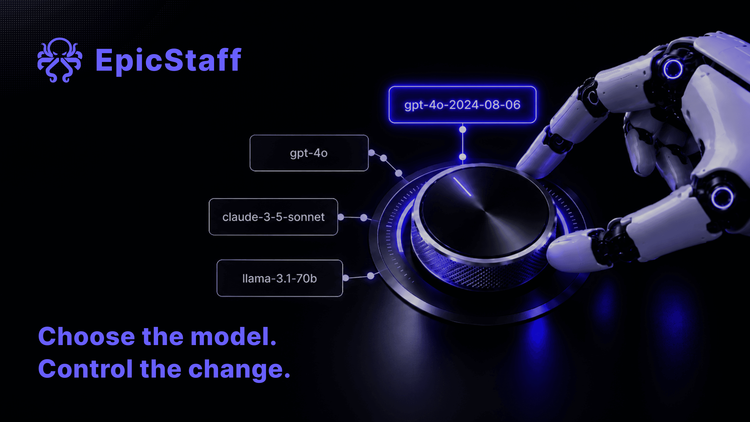
- Can I name an exact, dated model version, not only a family alias? EpicStaff: yes. A model is a free-text name, and the built-in list already holds dated versions, for example "gpt-4o-2024-08-06". EpicStaff sends the name to the provider exactly as you wrote it. Whether a dated name stays fixed is the provider's promise, not ours.
- Can I run the agents' model on a server I operate? EpicStaff: yes, for agent LLM steps. Ollama and vLLM are in the provider list, and each model takes its own base URL, so an OpenAI-compatible endpoint works. This covers the agents' LLM calls only; some embedding, OCR and voice paths still call cloud services.
- Does the run record say which model answered each step, or only which model was set? EpicStaff: not per step.
- Who tells me before the name I use starts to answer differently? This one is for your model provider, whatever platform you use. Ask whether a dated version is fixed, how long it is kept, and how a change is announced.
The model under your agent will change. The only question is whether it changes on your calendar or on someone else's.