The sub-agent did the work. The answer never came back.
When a main agent hands work to a helper, the work can fail to start, fail quietly or never come back. Five checks for any AI agent platform.

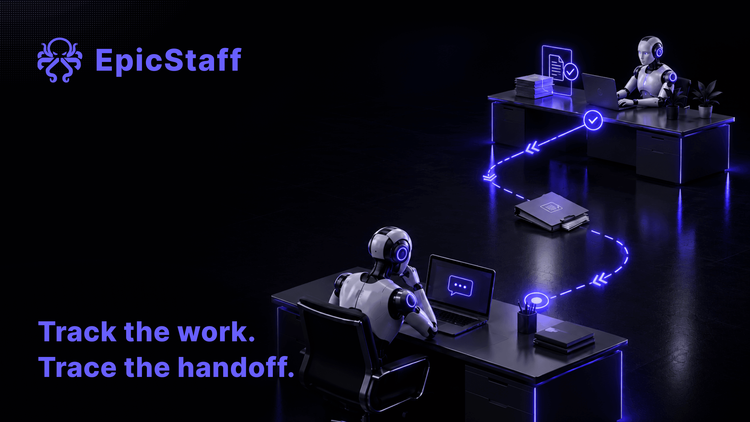
A support team builds one main agent that reads every customer email. When an email asks about a delivery, the main agent hands the question to a helper agent. The helper can look up orders.
On Monday, a customer asks where their parcel is. The reply says: "We have no record of your order."
The order exists. It is in the system, with a tracking number.
Now the team has three questions, not one. Did the helper never run? Did it run and fail? Or did it find the order, and the answer was lost on the way back? Each of these needs a different fix. The reply to the customer looks the same in all three.
What others have reported
One user reported a helper agent that could not use its tool. The main agent passed two values to the helper, which should then send a web request. No request went out. The same tool worked when it was attached to the main agent. The error message did not name the tool that caused the problem.
Another user checked the platform's own run data and reported that the helper's workflows had never started.
A third user reported a helper whose workflow never ran, while the main agent gave an answer anyway, one it had made up. The user reported that this still happened after a fix was released.
A team reported a helper that did find the data. It then sent two "finished" signals, a moment apart. The main agent took the first one, which held no findings, and told the user that the lookup had returned nothing. The team now repeats every input in the text of the request, because inputs sent the normal way often did not arrive.
One more user reported a helper that finished and wrote a valid answer. The person in the chat saw only a general apology that the assistant could not respond.
Two kinds of failure, then. Either the helper never does the work, or the work is done and does not come back. In two of these reports the main agent still answered, with something that was not true.
Where the hand-off lives
A hand-off is not done by the model. The harness does it: the runtime layer around the model that runs your agents (see who audits the harness). If you are new to the terms, what an AI agent is gives the short version.
So the checks below are questions about the harness, not about the prompt. They work on any platform, ours included. EpicStaff's answer is under each one.
Check 1: which route hands the work on?
Find out how your platform passes work from one agent to another. It can be a tool that the main agent calls. It can be a separate workflow. It can be a message to another agent. Each route fails in its own way, so you need to know which one you use before you look for the fault.
In EpicStaff, a flow can run another saved flow as one of its steps, or start several flows at once with the built-in Fan-Out tool.
Write down, for each hand-off, which of the two routes it uses. The other four checks depend on it.
Check 2: which tools does the helper have?
A helper often has a different set of tools from the main agent. In the first report above, a tool worked on the main agent and failed on the helper. If you test a tool only on the main agent, you have not tested it on the helper.
In EpicStaff, each agent works only with the tools attached to it.
So a tool that the main agent has is not the helper's tool until you attach it to the helper. Put the tool lists of the two agents side by side. Give each helper the tools its part of the job needs, and no more.
Check 3: what happens when the helper fails?
There are three possible outcomes. The whole run stops. The main agent is told about the failure and goes on. Or nobody is told. The third one is the dangerous one, because the main agent can still write a confident answer.
Do not guess which one your platform does. Test it. Make the helper fail on purpose, for example with an order number that does not exist, or with a lookup that times out, and read what the main agent says next.
In EpicStaff, if a sub-flow step fails, the run stops and records the error; it does not carry on without the result.
That sentence is about the sub-flow route. If a hand-off uses the Fan-Out tool, run the same test on it and read what the main agent does with a flow that failed.
EpicStaff has no resume or retry of a single step or sub-flow: a failed run is started again from the beginning, so make sure a second run cannot send the same email or make the same payment twice.
Check 4: where is the record of each part?
When a hand-off goes wrong, you need both sides of it. What did the main agent send? What did the helper receive? What did it do, and what did it return? A record of the main agent alone shows you the reply, not the reason.
In EpicStaff, every step's input and output is recorded in the run, including the steps inside a sub-flow.
Start with the input the sub-flow received. Compare it with what the main flow meant to send. In the team's report above, values went missing between the two sides. That is where a missing value shows first.
Check 5: what happens at a limit?
A helper can stop because it hits a limit: a time limit, a token budget, or a cap on its steps or tool calls. It may still return an answer, only a shorter or an emptier one. That answer can look like a real result.
In EpicStaff, when an agent stops at a limit, the run record shows which limit and why.
So when a helper's answer looks thin, read the run record before you change the instructions. A limit and a bad instruction call for different fixes.
One hand-off, written down
Here is the support team's delivery hand-off from the opening, written as one short note. Keep a note like this for every hand-off you run. Fill it in before the hand-off goes live, not after the first wrong reply.
- Hand-off: delivery questions, from the email agent to the order lookup.
- Route: a sub-flow step that runs the saved flow "Order lookup".
- Helper's tools: the order database, read only. Nothing else.
- Values passed on: the order number and the customer's email address.
- If the helper fails: the run stops. The team checks stopped runs every hour and answers those emails by hand.
- Where to read it: the run record, at the steps inside "Order lookup".
- At a limit: read the stop reason before anyone trusts a short answer.
- Tested with: one real order, one order number that does not exist, and one lookup that times out.
If a line in the note stays empty, that is the hand-off to test first.
Q&A
Why does my main agent give an answer when the sub-agent never ran?
On some platforms, a failed hand-off comes back as text or as nothing, and the main agent goes on and writes a reply. Test it: make the helper fail on purpose and read the reply. In EpicStaff, if a sub-flow step fails, the run stops and records the error; it does not carry on without the result.
Can a helper agent use the main agent's tools?
Only if you attach them to the helper. In EpicStaff, each agent works only with the tools attached to it. Attach a tool to the helper only if the helper's part of the job needs it.
How can I see what a sub-agent did inside a hand-off?
Read the record of both sides: what was sent, what was received, and what came back. In EpicStaff, every step's input and output is recorded in the run, including the steps inside a sub-flow.
Can EpicStaff retry only the part of a run that failed?
No. A failed run is started again from the beginning, so make sure that a second run cannot repeat an email, a payment or another action that must happen once.