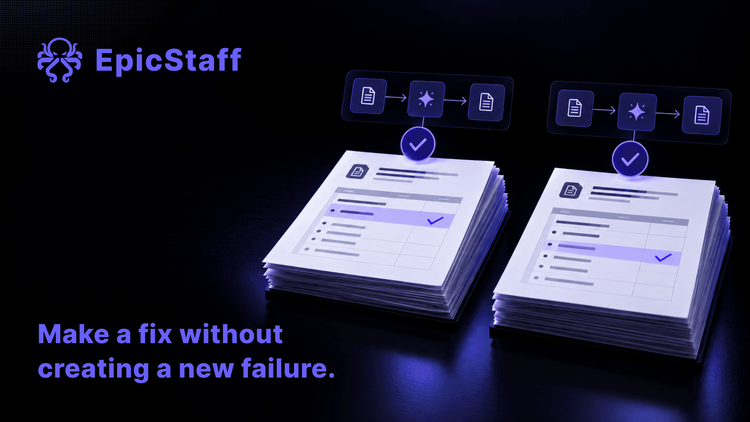
The fix worked. The workflow broke somewhere else.
A change that fixes one case can quietly break another while every run stays green. Four regression checks for any AI agent workflow.

A finance team uses an agent flow that reads supplier invoices and writes a short summary of each one. One week, a team member complains: amounts in dollars come through without the currency.
A colleague changes one line in the agent's instructions. They run the flow on that invoice. The currency is back. The change goes live.
Three weeks later, the controller finds that credit notes have been summarised as normal invoices. Amounts that should be negative are positive. Every run in those three weeks ended green.
Nobody was careless. The colleague tested the case that was broken. Nobody tested the cases that already worked.
That is a regression: a case that used to work and does not work any more. In an agent workflow it is easy to cause and hard to see, because a run can succeed and still be wrong.
What others have reported
One user reported that after a change to a workflow, the only answer they get is that the run succeeded. A step can keep running green while the shape of its output quietly changes, and nothing further down complains until something visible looks wrong. Two other users in the same thread said they had hit the same problem in their own systems.
In another thread, one user wrote that the hard part is knowing when a change fixes one case but quietly breaks another. So they re-run the whole set of cases, more often than they would like.
A third user reported what a re-run can cost. They pressed run to try out a change, and the platform started a full test pass over every case instead of one run. That one accidental pass made about ten calls to a paid screenshot service and seven image generations.
Two lessons sit in these reports. A green run is not a comparison with the last good run. And running the whole set again is not free when the cases touch paid or live systems.
Four checks before a change goes live
The four checks below work on any platform, ours included. EpicStaff's answer is under each one. They fit next to the questions to ask any vendor when you choose where your agents run.
Check 1: do you keep the cases that once broke?
A regression check needs a fixed set of cases. Each case is an input plus a short note of what must stay true. Keep it small. What matters is which cases are in it.
Put in every case that ever went wrong. When you fix one, add that case, and add its neighbours: the cases that look almost the same. In the opening story, the neighbour of "an invoice in dollars" was "a credit note in dollars".
In EpicStaff, you can start a whole flow with your own test input, and test a Python step on its own.
EpicStaff has no built-in test or evaluation feature, so keep your set of cases in your own files, next to the flow.
How to test a workflow the first time: You cannot test an AI agent like normal code.
Check 2: can a script run the whole set, without touching live systems?
If running the set depends on someone who remembers to do it, it will not run on the day it matters. A script or a CI job, the automatic checks that run on every change to your code, does not forget.
In EpicStaff, a script or CI job can start a flow run through the API with an API key.
Before the first full run, list what each case touches outside the flow: paid services, emails, payments, other teams' systems. For test runs, point those at test accounts, or at a stand-in service that gives back saved answers. Write down how many outside calls one pass should make, and stop the pass if the count is higher. A check after the run cannot take back what the run did; the model graded its own work tells what that looks like with a live system.
Check 3: do you compare each step, or only the end?
A final status says that no step raised an error. It does not say that each step returned what it returned last time. The reports above all come down to this.
So compare a new run with a run you trusted, step by step. Where a model writes text, the words will change from run to run. That is not the regression. Compare what must stay the same: which fields a step returned, the type of each field, whether a list is empty, and which branch the run took. A changed word is noise. A missing field is a regression.
In EpicStaff, a script can read every step's output of a finished run through the API and compare two runs.
Keep one trusted run for each case. When a new run differs from it, a person decides: is this a regression, or is this the new trusted run?
When one agent hands work to another: The sub-agent did the work. The answer never came back.
Check 4: do you know what changed between the two runs?
When a case breaks, the first question is "what changed?" The answer is not always your own change. A colleague may have changed another step.
In EpicStaff, each run keeps a full copy of the flow as it was when the run started.
Compare the copy kept with the last good run with the copy kept with the failing run. The difference is the change you are looking for, whoever made it.
Some changes do not show up in a copy of the flow: a new model version from your provider, or a different answer from another system. That is why the set should also run on a schedule, not only after your own changes.
When is a fix finished?
Most teams call a fix finished when the reported case works again. That is half of the job. The other half is that every case that worked yesterday still works today.
The set of cases does not have to be big on the first day. It has to hold the cases that once went wrong, and it has to run without anyone remembering to run it: after each change, and on a schedule, because the model and the systems around your flow also change, without asking you.
A fix is finished when the old cases still pass.
Q&A
What is regression testing for an AI agent workflow?
It means running the cases that worked before, after every change, and comparing each result with a run you trusted. A regression is a case that used to work and does not work any more.
Why does my AI workflow show success when the output has changed?
A success status usually means that no step raised an error. It does not compare the run with the last good one. In EpicStaff, a script can read every step's output of a finished run through the API and compare two runs.
How can I see what changed in a flow between two runs?
In EpicStaff, each run keeps a full copy of the flow as it was when the run started. Compare the copy from the last good run with the copy from the failing run.
Can I run regression tests on EpicStaff flows from CI?
Yes, with your own set of cases. A script or CI job can start a flow run through the API with an API key. EpicStaff has no built-in test or evaluation feature, so the cases and the comparison live in your own code.