
Permissions you set once, before the agent runs
When agent permission prompts never stop, people switch them off. Six checks for permissions you set once, before the run, where a deny wins.

For about a year, one user of coding agents has not answered a single permission prompt. One of their tools skips the prompts. The other answers them by itself.
The user described this on Hacker News in September 2026. Their agents asked for permission before they used a tool. The tools did not remember the answers, even when the user told them to. So the user watched the terminal and answered "Yes" all day. About a year ago, they stopped. In one tool they now skip the checks with a start option, and in the other an automatic reviewer answers for them. No person is asked anymore.
This is the usual end of a check that asks a person during the run. Either the person stops reading, or the person stops being asked.
Two more reports, two more questions
The prompts never end. Another user commented on Hacker News in August 2026, under a story about people who approve agent commands. They let the agent use some tools freely, and keep the prompts mainly to stop it from deleting data they want to keep. But the model often gets around the list of allowed tools by writing a small inline script, so the prompts never end, and the user reported that this is easy to tire of. To block risky options, they fall back on their own hooks and shell aliases.
A check the agent could skip. A builder asked on an agent framework's Reddit community in September 2026 about a permission check they had put in front of their agent's tool calls. It worked in the demo. Then they saw that the agent, or a sub-agent it starts, could probably call the function behind the tool directly and skip the check. They asked three questions. Must the check be the only way to reach the tool? Does a child agent inherit the parent's access? And is a condition that was true at the check still true when the tool actually runs?
Decide in advance, in one place
The three reports point the same way. A check that asks a person at run time costs attention every time, so it gets switched off or clicked through. A check that lives in the builder's own code can be skipped by a path nobody planned for.
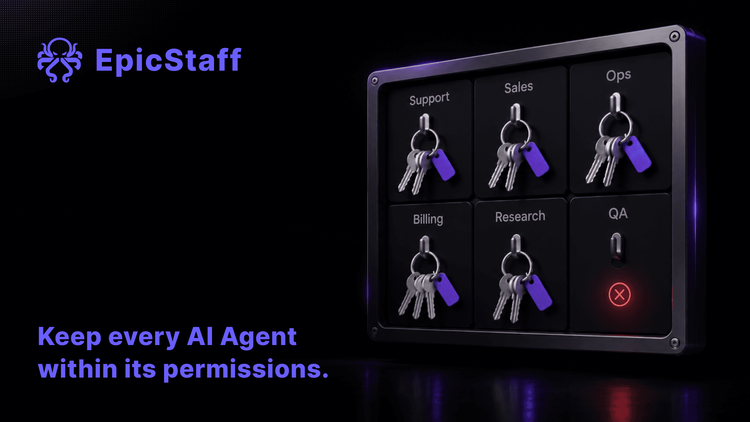
The other way is to decide before the run. For each kind of job, write down which tools the agent may use. Keep that list in one place, and let the platform hold the agent to it at the moment it calls a tool. When two lists disagree, the deny wins. Nobody has to answer "Yes", so nobody is tempted to switch the check off.
If an action is too risky to run without a person, such as a large refund, keep that tool away from the agent. Let the agent prepare the action as a draft or a request, and let a person carry it out.
Six checks for agent permissions
These checks apply to any platform that runs agents and workflows, ours included. Where EpicStaff answers a check, the answer is under it.
1. Find out when the decision is made, and where the check sits
Ask whether a tool is allowed before the run or asked for during it. Then ask where the check sits: in the prompt, in a wrapper the agent could step around, or in the part of the platform that runs the tool. A prompt is advice to the model. A check where the tool runs is a rule. If one allowed tool runs code that the model writes, that tool can reach whatever its environment reaches, as the second report shows: count it as every tool at once. For why one key that opens every system is a risk of its own, see One key, every client: the quiet risk inside your automation server.
In EpicStaff: You set each agent's tools before the run: the model is offered only the run's allowed tools, only those can run in that run, and an allowed tool call runs at once.
2. Know which rule wins when two sets disagree
An agent often sits under more than one set of rules: one for the team, one for the task, one for a sensitive system. Find out what happens when one set allows a tool and another denies it. If the answer is "the last one saved" or "it depends on the order", nobody can predict the result. Keep one shared permission set per kind of job, and add a deny where a job must never use a tool.
In EpicStaff: Each agent can call only the tools you allow it, set as reusable permission profiles; if any profile denies a tool, the deny wins.
3. Ask for a missing tool on purpose
Models sometimes ask for a tool they were not given: an old name, a guess, a tool that another agent holds. Find out what happens then. Does the run fail, stop, or carry on, and does the record show the attempt? Test it before go-live: give an agent a task that needs a tool it does not hold, and read the run record afterwards. For what else a run record should hold, see The agent finished. Nobody can say what it did. For what an agent hands back when it stops on a limit, see The agent hit its limit and still said it was done.
In EpicStaff: If the model asks for a tool it was not given, the run does not fail: the model gets an "unknown tool" error back and can carry on, and the call and the error are normally kept in the run record.
4. Know when a change takes effect
You remove a tool from a set at ten in the morning. Find out which runs see the change: runs already going, the next run, or only runs after a restart. A change that needs a restart tends to wait for a quiet moment, and the old rule holds until then. Write the answer down. After each change, start one test run and check that the agent sees the new tool list.
In EpicStaff: When you change a permission profile, every agent step that uses it gets the change on its next run. No restart is needed.
5. Check what a child workflow gets
A flow that starts another flow, or an agent that hands work to a sub-agent, raises the question from the third report: does the child get the parent's access, or its own? Either design can work. What matters is that you know which one you have, and that the child's tools are written down where you can review them. Test it with a child that asks for a tool only the parent holds. For what can go wrong when work passes to a sub-agent, see The sub-agent did the work. The answer never came back..
In EpicStaff: A child flow's agents use the child flow's own permission profiles; no permission profile passes from the parent flow.
6. Know who may change the rules
A permission set is only as strong as the list of people who can edit it. Find out which roles can create, change and delete the sets. Then check who can edit your flows, not only who can edit the sets, because a person who edits a flow may also be able to change a step's own tool settings. Review both lists, and remove edit rights that nobody uses. For how to see who changed a flow, see Someone changed the flow on Friday. Nobody can say who.
In EpicStaff: With the built-in roles, Org Admins can create, change and delete permission profiles; Members can create and change them; Viewers can only read them.
What deciding in advance costs
Setting permissions before the run is not free. Someone has to write the sets, name an owner for each one, and think ahead about the tools each kind of job needs. When a set is too narrow, you do not find out from a prompt on your screen. You find out from an error in the run record, after the run.
That is the trade. The work moves from every run to the hour before the first one, and from whoever happens to be watching to the person who owns the set. In return, nobody answers "Yes" all day, and a year later the gate is still switched on.
Q&A
Why does my AI agent keep asking for permission?
Usually because no lasting rule covers the action it wants. Agent tools that ask before a tool call keep asking until a rule allows that call. If your answers are not kept, or the agent reaches the same action another way, for example through a small script, the questions keep coming. Look for a setting that stores an allow or deny rule per tool, and write rules for the tools the agent uses every day.
Is it safe to turn off permission prompts in an AI agent?
Only if something else limits what the agent can do. With the prompts off and nothing in their place, the agent can use every tool and every key its environment gives it. Before you switch them off, narrow the tools, give the agent its own account with only the rights it needs, and keep a record of every tool call so that you can check it afterwards.
Does a sub-agent get the same access as the agent that started it?
That depends on the platform. A platform can pass the parent's access down to the sub-agent, or give the sub-agent its own set. Ask your vendor which, and then test it: let the sub-agent ask for a tool that only the parent holds, and see whether the call runs.
How do I set tool permissions once for all my AI agents?
Write one permission set per kind of job, attach it to every agent that does that job, and change the set rather than each agent. In EpicStaff: Each agent can call only the tools you allow it, set as reusable permission profiles; if any profile denies a tool, the deny wins. When you change a permission profile, every agent step that uses it gets the change on its next run. No restart is needed.