Your agents keep forgetting what the others already found
Each agent workflow keeps its own memory, so agents redo work or bring back old decisions. How to design what is shared, what is kept on purpose, and what should never carry over.

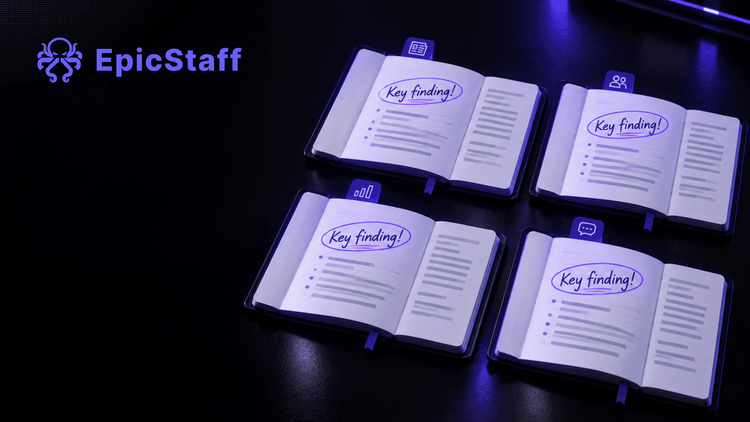
Picture a team with four agent workflows. One watches supplier news. One qualifies leads. One writes the weekly summary. One answers questions from sales.
On Monday morning, the first agent finds that a supplier has changed its prices. Two hours later, the second agent finds the same change and reports it as new. On Wednesday, the summary agent reads an old note and repeats a decision that the team cancelled last week. Someone has to undo it by hand.
Nobody made a mistake. Each agent did what it was built to do. But each workflow kept its own memory, and none of them knew what the others had already found. The team has four memories and no shared one.
What one user reported
This picture is not only a thought experiment. One user who runs four agent workflows described almost the same thing. A research agent found something early in the morning. A second agent found the same thing later and flagged it as new. The same person told how a new session read an old decision from memory and reversed a change to their setup that they had made on purpose.
Their attempts to fix it are worth reading, because each one failed in a useful way. First, they gave all agents a shared spreadsheet as a scratchpad. It filled up with hundreds of rows of half-finished notes. Next, they kept a decisions file by hand and added a prompt that asked the agents to reconcile it. Then they tried to score each memory by how fresh it was. None of these held.
A fair note: this is one voice, not a survey, and the poster also builds a product for this problem. The shape of the problem is still worth thinking through.
Why "one big memory" is not the whole answer
The obvious fix is one memory that every agent can read and write. It solves the first problem. The second agent would see that the price change is already known.
But look at what else it does. Every agent now writes into the same place. A wrong guess from one run becomes a fact for every other run. A decision you reversed is still in the store, next to the new one, and the agent has to guess which one counts. Details from one client can turn up in work for another. If the newest write wins, the newest mistake wins too.
Memory that writes itself is also memory that nobody checked. Sharing knowledge between agents is not a storage question. It is a design question: someone has to decide what goes in, who checks it, and when it comes out.
Three piles, three decisions
A simple way to design it: sort everything an agent might keep into three piles.
Share. Facts that are true for every flow, and that a person has checked. Product data, policies, price lists, decisions that are in force. These belong in one reference collection that several agents can search. Someone owns it. Things enter it on purpose, and old things leave it on purpose.
Remember on purpose. Small, named values that one flow needs the next time it runs. The date of the last item it handled. The list of suppliers it has already reported. A counter. Keep this list short, and give each value a reason. If you cannot say why a value is remembered, it should not be.
Never carry over. Everything else. Drafts and guesses from one run. Personal data that was needed once. One client's details. Anything that no person has looked at. When the run ends, this ends with it.
People often confuse a fourth thing with memory: the hand-off inside one run. When step two uses what step one produced, that is not memory. It is the run doing its work, and it should stop when the run stops.
For a plain explanation of how agents use tools and data, see what an AI agent is. And when an agent does bring back an old decision, you need to see which run read what. That is the job of a run record.
How EpicStaff splits it
In EpicStaff, each pile has its own place.
Shared knowledge. You upload documents to a knowledge collection, in the UI or through the API. Several agents and several flows can search the same knowledge collection. That is the shared pile: one reference, many readers.
Who adds to it. Agents search knowledge bases but do not add to them; to keep something for later, a flow saves chosen values between runs, or a Python tool writes a file to shared storage. Documents enter a collection by upload, so your team decides what goes in.
Remembered on purpose. Each run starts from the flow's own start values plus what you pass in; nothing carries over unless the flow chooses values to remember. Remembered values belong to one flow, and everyone in the organisation who runs that flow shares them. Per-user memory is not available.
Inside one run. Inside a flow, every step can read what earlier steps produced, through the flow's shared variables. That is the hand-off, not memory.
Seeing and removing. You can view and delete knowledge documents in the UI and API; values a flow remembers can be read through the API, and are cleared by removing them from the flow's setup.
So the starting point is the third pile. A run keeps nothing for next time unless you chose it.
A design sheet for each flow
Before you connect your next agent, fill in this sheet for each flow. It takes ten minutes.
| Share | Remember on purpose | Never carry over | |
|---|---|---|---|
| What goes here | Checked facts that every flow may use | A few named values this flow needs on its next run | Drafts, guesses, one-off personal data, one client's details |
| Who puts it there | A named owner, on purpose | The flow's design, one value at a time | Nobody |
| How it leaves | The owner removes it when it is out of date | You remove it from the flow's setup | It ends with the run |
| In EpicStaff | A knowledge collection you upload documents to; several agents and flows can search it | Values a flow remembers between runs, one set per flow | Not kept; within one run, steps share results through the flow's shared variables |
Questions to ask any tool, ours included. Our own answers follow each one.
- Can several agents read the same knowledge? EpicStaff: yes. Several agents and several flows can search the same knowledge collection.
- Can an agent add to the shared knowledge by itself? EpicStaff: no. Agents search knowledge bases but do not add to them.
- Does a new run remember the last one by default? EpicStaff: no. Nothing carries over unless the flow chooses values to remember.
- Can each user have their own memory? EpicStaff: no. Remembered values are per flow, and shared by everyone in the organisation who runs that flow.
- Can I see and delete what is stored? EpicStaff: yes for knowledge documents, in the UI and API. Values a flow remembers can be read through the API, and are cleared by removing them from the flow's setup.
A tool can give you the places. Which fact goes into which pile is still your team's decision. Write it down, and give each pile an owner.
Q&A
What is shared memory for AI agents?
Knowledge that several agents or workflows can read, so they do not repeat each other's work. It works best when a person decides what goes in, and each workflow keeps only a few values on purpose.
Do EpicStaff agents add what they find to the knowledge base?
No. Agents search knowledge bases but do not add to them; to keep something for later, a flow saves chosen values between runs, or a Python tool writes a file to shared storage.
Can several agents read the same knowledge in EpicStaff, and can I see and delete it?
Yes. Several agents and several flows can search the same knowledge collection. You can view and delete knowledge documents in the UI and API; values a flow remembers can be read through the API, and are cleared by removing them from the flow's setup.
Does EpicStaff keep memory per user?
No. Values a flow remembers are per flow, and shared by everyone in the organisation who runs that flow.