Connecting an AI agent to your systems is easy. Owning the connection is not.
Connecting an AI agent to your ERP, CRM or ticket system is the easy part. Owning it is harder: who repairs it, where keys live, what it may reach.

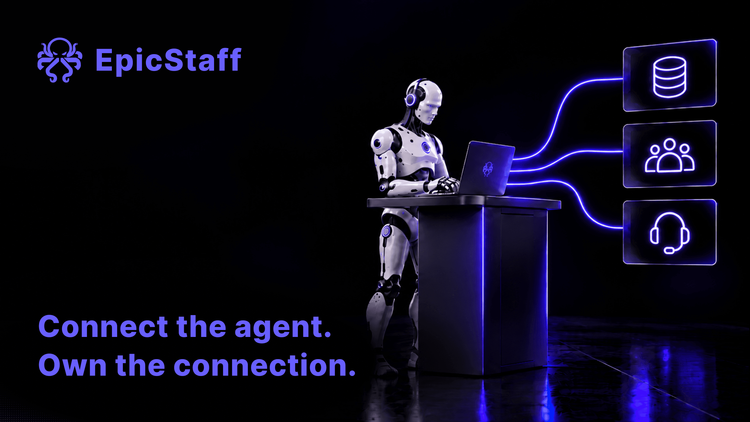
An AI agent becomes useful on the day it can see your real data. Orders in the ERP. Customers in the CRM. Open cases in the ticket system. Until then, it is a clever text box. (If you want the basics first, read what an AI agent is.)
So most teams start with one question: can it connect to our systems? The honest answer is almost always yes. That is not the hard part. The hard part starts after the demo, when the connection has to keep working, and somebody has to own it.
The first connection is a project. So is every next one.
Business systems were not built with agents in mind. Each one has its own way to log in, its own API (the interface one program uses to talk to another), its own limits and its own habits. So every new connection is a small build: find the right endpoint, get a key, map the fields, handle the errors.
The first connection feels like progress. The fifth feels like a second job. One team reported that linking their automation tool to the company's ERP and CRM always took extra work with drivers and connections. Another reported that API keys lived in several places, and that finding where to create one was a task in itself.
None of this is a disaster. It is friction. But friction adds up, and it lands on the same few people.
Ready-made does not mean repairable
The obvious answer is ready-made connectors. Pick the system from a list, log in, done. That helps, for a while.
The trouble starts when a ready-made connector fails. One team reported that their agent could not use a messaging channel. The other system showed the account as linked, while the agent platform said no account was linked at all. Another team reported that every attempt to add a new tool connection failed with an error saying the name was already taken, whatever name they chose. The cause turned out to be hidden leftovers from earlier failed attempts.
A third team reported that it could read data from a project board through a ready-made connection, but could not write to it. So they built their own connection with a personal access key. It works, but it cannot do bulk updates. And they do not see a personal key inside a shared agent as good practice.
In each case the connection existed. The people who used it could not see inside it and could not repair it. The best they got was a weaker workaround. A connector you cannot repair is convenient only until the first time it breaks.
Three questions that decide whether you own a connection
Before you count connectors, ask three questions about each one.
Who can repair it? When the connection breaks, someone has to find the cause and fix it. If that person must open a support case and wait, the agent waits too. If your own team can read the code or the settings, the repair is in your hands.
Where do its credentials live? Every connection needs a key, a token or a password. Ask where it is stored, who can see it, and what happens when the person who created it leaves. A personal token inside a shared agent is a quiet risk. It works until that account is closed.
What may it reach? A connection is also a permission. A key that can read one table is not the same as a key that can change every record. The agent will use what it is given. So give each connection the narrowest rights that do the job, and write down what those rights are.
If you can answer all three for a connection, you own it. If you cannot, you are renting it, and the rent comes due on the day it breaks.
How EpicStaff approaches this
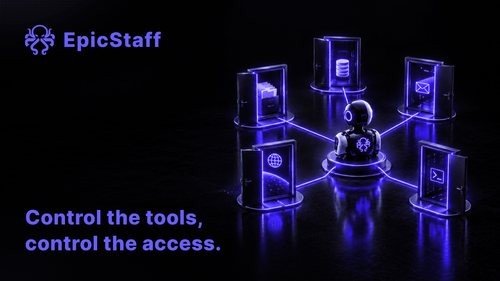
In EpicStaff, an agent reaches another system only through tools your team attaches to it: Python tools (your own, or ready-made ones EpicStaff ships) or an MCP server your team connects. MCP, the Model Context Protocol, is a common standard that lets an agent call functions in another system.
EpicStaff ships about 70 ready-made Python tools, including tools for database queries, web fetching and files. Where nothing ready-made fits, your team writes its own Python tool, and a tool your team writes is code your team can read and repair. EpicStaff does not connect a REST API without code: the built-in web fetch tool only reads a URL, and anything beyond reading a URL needs a Python tool or an MCP server.
Because a tool reaches an agent only when your team attaches it, the list of attached tools is the list of what that agent can reach. Tool credentials are kept as encrypted secrets of your organisation, not written into the flow. EpicStaff also runs on your own infrastructure.
A worked example: one connection, from request to running
Say your service desk wants an agent that looks up a customer's open orders before it drafts a reply.
Write the request as one sentence. "Read open orders for one customer number. Change nothing." This sentence is also the permission. Find the route. The orders sit in a database. EpicStaff ships ready-made database query tools, so this one can be connected without a new build. If the system offers only a web API, your team writes a small Python tool or connects an MCP server. Get a dedicated account. Ask the database owner for an account that can read the orders table and nothing else. Not a personal login. Store the credential in one place. In EpicStaff, tool credentials are kept as encrypted secrets of your organisation, not written into the flow. Write down who created it and when it must be changed. Attach the tool to this one agent. Other agents in the same flow do not get it unless someone decides they need it. Name an owner and test a failure. Turn the account off once, on purpose. See what the agent does and who notices. Then write the owner's name next to the connection. Six steps, and only two of them are about the tool itself. The rest is ownership. That is the part that decides whether the connection still works next year.
Q&A
How do I connect an AI agent to our ERP or CRM?
Through a tool the agent can call: a database query, a call to the system's API, or a server that offers the system's functions to agents. Start with one read-only task, a dedicated account and a named owner.
Why do AI agent connectors keep breaking?
Because both sides change. The business system updates its API, keys expire and accounts are closed. The connector in the middle is often a closed box. Connections you can read and repair yourself may break just as often, but they stay broken for less time.
Where should an AI agent's API keys be stored?
In one place that the team manages, not in a person's account and never in the prompt. Each key should belong to a dedicated account with the narrowest rights the job needs.
Can EpicStaff connect to our own business systems?
In EpicStaff, an agent reaches another system only through tools your team attaches to it: Python tools (your own, or ready-made ones EpicStaff ships) or an MCP server your team connects. The ready-made tools include database query, web fetch and file tools. The built-in web fetch tool only reads a URL, so anything beyond reading a URL needs a Python tool or an MCP server. Tool credentials are kept as encrypted secrets of your organisation, not written into the flow.