Ask the flow what it did
A run took an odd branch and nobody can say why. Six checks for debugging an AI agent workflow run without reading every step by hand.

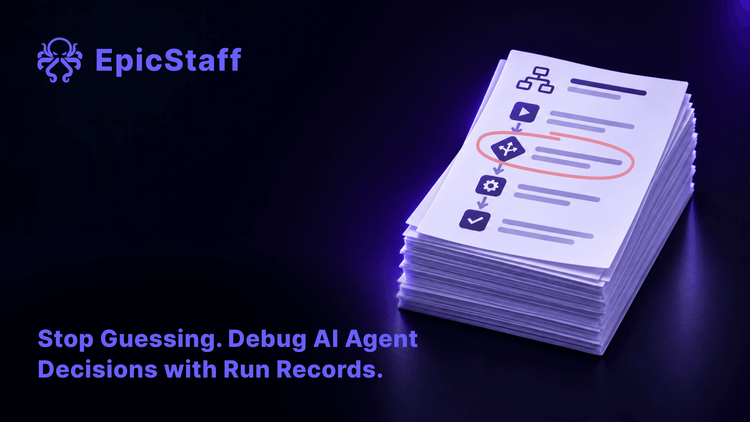
Picture a Monday morning. A team lead opens the record of a weekend run. One supplier invoice went to manual review, not straight to payment. Nothing looks broken. The flow chose a path, and nobody can say why.
The record holds every step: inputs, model calls, tool results, times. To find the answer, someone reads the steps one by one, and that someone is usually the person who built the flow. When an AI model makes some of the decisions, "why did it do that?" is a common question after a run, and often a slow one to answer.
Three reports from this year show where that time goes.
Three builders who could not see why
The reasoning was inside a wall of text. A user with a health care project on a multi-agent framework reported on the framework's Reddit community in May 2026 that the detailed output was one long wall of text in the terminal. They could see each tool call, but not the reasoning behind why one agent handed a task to another. They could not replay one task without running all the agents again, or compare two runs side by side. Replies suggested switching on the framework's traces, or writing each task's output to a file. The thread does not show whether either was tried.
The reply said "Confidential". In October 2026, a builder reported on a vendor's community forum that their agent, which answered users from the company's own lists, left some questions unanswered. When the builder opened one on the monitoring page, the agent's reply was replaced by the word "Confidential". They needed that reply to understand why some answers were wrong. The one reply said that a viewer role was needed, and that the platform can hide some answers it judges sensitive. The thread is not marked solved.
The screen showed a stuck run. The run had finished. In June 2026, a developer reported on a framework's community forum that their agent's router used a second part of the graph only after a tool call. When there was none, the development tool's trace view showed the run as stuck. The local server's terminal showed that the run took the expected branch and ended. An experienced forum member called it a limit of the view, not a fault in the agent. Nothing was lost; it was a development tool on their own machine.
The answer was there. Getting to it was the work.
In all three cases, the run held the answer: the tool calls, the reply, the branch. What failed was the way to it. The reasoning was buried in text, the reply was hidden behind a label, and the branch was drawn wrong on screen.
"Why did the run do that?" is a question about recorded facts. It should take minutes, and the people who own the flow should be able to ask it, not only the person who built it.
Six checks for "what did this run do, and why?"
Use these checks on any platform that runs AI workflows, ours included. Where EpicStaff has an answer, it follows the check.
1. Can you ask about real past runs, not only read step lists?
A step list is complete, and slow to read. Some platforms let you ask about runs in plain words. Find out whether the answers come from the real run records, or from a model's idea of what the flow should do. An answer you cannot trace back to the record is a guess. For what a run record should hold in the first place, see The agent finished. Nobody can say what it did.
In EpicStaff: The button in the flow editor header says "Open chat". The chat panel it opens answers questions about the flow. It reads the real run records of this flow. You can ask, for example, "Why did yesterday's run take that branch?" about a decision-table or classification branch in this flow (not inside a subflow).
2. Know which runs, and how much of each run, it can see
Ask how many runs the assistant looks at for one question, and how many steps of a long run. Ask whether it sees times, so that it can say which step was slow. If it reads only part of a long run, ask about an early step and check the answer against the record.
In EpicStaff (Open chat): It looks at up to 25 runs per search and the last 200 steps of a run. It sees a time for each step and the run's duration; step durations are worked out from those times.
3. Know which model answers you, and on whose key
The answer to "why" is written by a model. To answer, an assistant must give that model parts of the run record, and a run record can hold customer data. So ask which model answers, from which provider, and on whose account. Also ask what happens when no model is set: a clear error, or a quiet switch to another model. For why one shared key is a quiet risk, see One key, every client: the quiet risk inside your automation server. For more on whose account pays for the model, see Whose key is it?
In EpicStaff (Open chat): It answers with the model settings chosen for that flow, from your own organisation, using your organisation's key. If no model is set for the flow, it shows an error; it does not fall back to another model.
4. Know who may ask, and who may change the model
Asking about runs is a way to read run data. Decide which roles may do it, as you decide who may open run records. Changing the model that answers is a different right, because it decides which model receives run data. Give it to fewer people.
In EpicStaff (Open chat): Using it needs read access to flows. Changing that model setting needs the right to edit flows.
5. Know what it cannot see
Ask which parts of a run the assistant leaves out: steps inside subflows, the content of documents the run read, the outputs it wrote, logs kept outside the platform. Then ask a question whose answer sits just outside that edge, and see what you get back.
In EpicStaff (Open chat): It leaves out the steps of subflows. A question such as "When did we last run this flow for contract X?" works only when the contract id is a start input and you give the exact value; it does not search documents or outputs.
6. Run a design check before go-live, and know that it is not a test run
In any tool, some faults show in the design alone, for example a branch that no path reaches. A design check can find them before the first run. It does not show what the flow does with real data; only a run does that. Do both, and never count one as the other. For how to test the parts of a workflow that should not vary, see You cannot test an AI agent like normal code. You can test most of the workflow. For the first real run after a move to production, see It worked in test. Moving it to production broke it.
In EpicStaff (Open chat): You can ask it to "Check this flow for problems." It checks the design with fixed checks; it cannot run the flow.
Back to Monday morning
Take the invoice run from the start. The design already says what the flow does. The question is what this run saw, and which rule it followed. Three facts answer it: the input that reached the decision, the value the model returned, and the rule that turned that value into a branch.
When those facts sit in the run record, and the team lead can ask for them in plain words, Monday's question takes minutes. When they do not, the builder spends the morning reading steps, and the next odd branch waits for them too.
Q&A
How do I compare two runs of the same AI workflow?
Put the two run records next to each other and line them up by step. Compare the start inputs first, then the model and its settings, then the result of each decision step. The first step where the two runs differ is where to look. In a long run, start at the branch that differs and work backwards.
Why does my AI workflow look stuck when it already finished?
The screen and the record can disagree. A view can show a path it did not expect as still running. Before you restart anything, check the run's status and end time in the run record or the server log. If the run finished, do not start it again: a second run can repeat actions that the first one already took.
Can an AI assistant explain why a model made a decision?
It can show what the model received, what it returned, and which rule turned that into a branch. It cannot look inside the model. An explanation written after the run is a reading of the record, not the model's own reason. Treat it as a pointer to the step to check, and check that step yourself.
Can I ask an EpicStaff flow why a run took a branch?
Yes, for a decision-table or classification branch in this flow, not in a subflow. The button in the flow editor header says "Open chat". The chat panel it opens answers questions about the flow. It reads the real run records of this flow. It answers with the model settings chosen for that flow, from your own organisation, using your organisation's key.