The retry ran it twice
A timeout, a re-sent webhook or a schedule that was switched off can run the same step twice. Six checks against AI workflow duplicate runs.

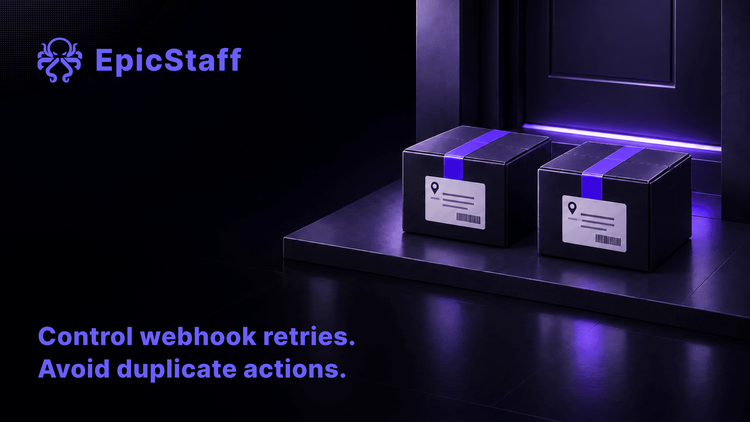
A timeout tells the caller one thing: no answer came back in time. It does not tell the caller whether the work was done.
Most callers then do the sensible thing and send the request again. If the first request did finish, the same step now runs a second time. A customer gets two emails, the CRM gets two records, or a paid model call is made twice. The extra run usually ends with a normal status, because inside the workflow nothing failed.
A second run can come through more than one door: a caller that tries again, a webhook that is delivered twice, a schedule that was switched off and still fired. Three reports from August and September 2026 show three of those doors.
Three ways a step ran twice
The caller gave up and asked again. A user of a workflow vendor's hosted service reported on the vendor's community forum in August 2026 that a chat assistant called one of their workflows as a tool. The workflow called a paid model, took about three minutes and ended with the status Success. But after about 125 seconds the assistant received an error, and a second run started at once with the same input. Both runs used about the same large number of model tokens. The user stopped testing, because the call had a real cost and one approved call must not run twice. A forum moderator replied that the time limit belonged to the calling client, which had sent the call again. The moderator suggested returning an id at once and collecting the result with a second call; another user suggested a check keyed on a hash of the input. The user planned to test both.
One form, two CRM records. A team on its own server asked on the same forum in September 2026 how to make sure that one tool call runs only once. Their tool sent requests to outside systems that are not safe to repeat, and one form submission had once created two records in their CRM. They had built a small temporary guard. The replies agreed on one design: the caller sends a unique key with each action, and the receiving side checks the key before it writes. One replier described a small ledger table in front of the target system: the call id, a hash of the input, the status and the id of the record it created. The same replier advised logging the timeout path on its own, because that is where duplicates stay hidden. Nothing was marked solved.
Switched off, and it ran the next morning. A reporter who runs the same workflow tool on their own server opened an issue on its tracker in September 2026. A workflow with one daily schedule had run twice, 14 seconds apart, on its first day. The reporter switched the workflow off. It ran again the next morning, created a production access token and read a shared spreadsheet; it wrote nothing only because there was no work that day. Archiving did not stop the schedule; deleting the workflow was the only stop the reporter found. Every run showed success. The reporter found the problem by pulling the runs through the API and comparing their times with the switch-off. At the end of September, no maintainer had confirmed it. Another user who read the current code reported new protections, but could not yet match them to the reporter's exact path.
The status will not show it
In the first and third reports, every run showed success. In the second, the team saw the duplicate in their CRM. Nobody found the extra run from its status. They found it in an outside system, in the cost of a test, or by comparing times by hand.
So the useful question is not "did the run fail?" It is "can this step happen twice, and what stops it?"
Six checks against a step that runs twice
These checks apply to any platform that runs workflows and agents, ours included. Where EpicStaff answers a check, the answer is under it.
1. Find out who decides to try a failed call again
A failed or timed-out tool call can be tried again by the platform, by the model, by the caller, or by nobody. Each gives a different risk of a double write. For every tool that changes something outside, send an idempotency key: a unique id for one action, which the receiving system uses to refuse a second copy. If the receiving system cannot check a key, put a small ledger in front of it, as in the second report.
In EpicStaff: A failed or timed-out tool call goes back to the model as an error, and the model may call the tool again, up to the agent's tool-call budget and its limit on failures in a row.
2. Find out what the trigger does with a repeated delivery
Many webhook senders deliver the same event again when they do not get an answer in time. Find out whether your trigger drops a repeated delivery or starts a new run for it. If it starts a new run, the dedupe (the check that throws a repeat away) belongs in the flow: store the event id or a hash of the input in the first step, and end the run if that id is already there. For who owns the connection to the outside system, see Connecting an AI agent to your systems is easy. Owning the connection is not.
In EpicStaff: A webhook trigger answers the caller at once and starts a new run for every delivery, so the check for a repeated delivery is a step in your flow.
3. Know what happens to an unfinished run after a crash
A server can stop in the middle of a run. When it comes back, a platform can resume the run, start it again from the beginning, or leave it stopped. A fresh start repeats every step that already wrote. After any restart, list the runs that did not finish, and check in the outside systems what they wrote before you start any of them again. For what a restart leaves behind, see The server will fail. What matters is what survives it.
In EpicStaff: After a crash or a restart, an unfinished run stays stopped, and its finished steps are not run again; the run is later marked "Expired".
4. Know what "stop" stops
A stop button ends a run. Find out what it does to the step that is running at that moment: cut it off, or let it finish. After a stop or a timeout, check whether the step finished anyway before you run it again. For limits that stop a run while it is still going, see Who stops the loop? Limits that act during the run.
In EpicStaff: A user can stop a run in the UI or by API. Stop does not cut off a model or tool call that is already running. That call finishes, its result is dropped, and the run starts no further call or step. A step that is already running is not interrupted: it carries on in the background until it ends or reaches its own limit (by default 5 minutes for a Python step).
5. Know what switching off a schedule leaves behind
Switching off a schedule stops new fires. Find out what happens to a run that was already created or waiting in a queue. After you switch a schedule off, look for runs that are waiting and stop them. The next day, put the start times of new runs next to the time of the switch-off, as the third reporter did.
In EpicStaff: When a schedule is switched off, a fire that reaches the server after that starts no run; a run that was already created or queued still runs.
6. Make sure a second identical call is visible
A duplicate that the run record does not show is a duplicate you find later in the outside system. The record should show each tool call on its own, with its inputs, so that two identical calls appear as two entries. Test it on purpose: send the same event twice, let a slow tool time out once, and look for both in the record. For what else a run record should hold, see The agent finished. Nobody can say what it did. For how to test the rest of a flow, see You cannot test an AI agent like normal code. You can test most of the workflow.
In EpicStaff: Each tool call is its own entry in the run record, with its name and its inputs (long inputs are shortened), so two identical calls show as two entries.
One question for every step that writes
Go through the flow and mark each step that changes something outside it: a record, an email, a payment, a paid model call. For each one, write down the answer to one question: if this step ran twice, what would happen, and who would notice?
If the answer is "a duplicate, and nobody", the step needs a key, a dedupe step or a check after a timeout before it goes live. If the answer is "nothing, the second write replaces the first", write that down too. It is the reason the step is safe, and the next person who changes the step needs to know it.
Q&A
Why does my webhook workflow run twice?
Usually because the sender delivered the same event twice. Many senders try again when they get no answer within their own time limit, or when the connection drops. Compare the two runs: if the input is the same and the start times are seconds or minutes apart, it is a repeated delivery. Answer the sender quickly, and add a first step that stores the event id and ends any run that has seen that id before.
Is it safe to retry a step that sends an email or makes a payment?
Only if the receiving system can tell that the second request is a copy. Ask whether it accepts an idempotency key, and send one with every request. Without a key, a retry after a timeout can send a second email or a second payment, because the first one may have gone through. Check the receiving system first, then decide whether to try again.
How do I make an AI agent's tool call idempotent?
Give each action its own id before the tool is called, and pass that id to the receiving system. The receiving system, or a small ledger table in front of it, stores the id with the result and refuses a second write with the same id. A hash of the input can serve as the id when the input itself is unique. Log every copy that is refused, so that you can see how often it happens.
Does EpicStaff retry a failed tool call by itself?
A failed or timed-out tool call goes back to the model as an error, and the model may call the tool again, up to the agent's tool-call budget and its limit on failures in a row. Each tool call is its own entry in the run record, with its name and its inputs (long inputs are shortened), so two identical calls show as two entries. For a tool that writes to an outside system, pass an idempotency key, so that the receiving system can refuse a second copy.