I stopped the run. It ran again.
You pressed stop, and the run came back. Six checks for what stopping a running AI workflow ends, what it leaves, and what can start it again.

Ask three people on your team what happens when they press stop on a running workflow. You may get three answers.
One says the run ends on the spot. One says the current step finishes first. One says it depends on the worker. None of them can say for sure whether something will start the same work again tonight.
The gap matters most on long runs: an agent that works through a large input for twenty minutes, or a flow that writes to other systems on the way. Stopping such a run is a decision about data. What did the run already do? What did it leave half done? What can bring it back? Two reports from this year show how it looks when nobody knows the answers.
Two reports where stop did not mean stop
Cancelled, and then it succeeded. A user who runs a workflow tool on Kubernetes, with a queue and several workers, asked on the vendor's community forum in September 2026 what happens to a job when a worker crashes or restarts: does another worker carry on, or start again from the beginning? Later that day, the user added a second sign: some runs they had cancelled in the screen later ran again and finished with success. A forum member with a Top Supporter badge replied that a job picked up by another worker starts again from the beginning, and advised making each step safe to repeat. Another user replied that cancel is best effort, and advised recording the real end of the work in a store of your own, rather than trusting the status on the screen. Nothing was marked solved.
Cancelled by the platform, again and again. A team that runs its own product on a hosted agent platform reported on the vendor's forum in July 2026 that some of its long runs were cancelled in the middle. The cancel came from the platform: it shut down workers it no longer needed, and a run that outlived the shutdown grace period was cancelled and put back on the queue. In about two and a half hours of heavy testing, seven runs were cancelled and resumed. Two runs of more than 20 to 30 minutes were cancelled and resumed several times, and ended as failed when they reached the retry limit. A member of the vendor's team confirmed the mechanism: a resumed run starts again from its last saved checkpoint.
A third report, from September 2026, is one line long for our purpose: a user switched off a scheduled workflow on their own server, and it ran again the next morning.
Stop is three questions
In the first report, a run that a person cancelled finished anyway. In the second, the platform cancelled runs and brought them back by itself. In the third, a switch-off did not stop the schedule. Each time, the screen said one thing and the work did another.
So "stop" is not one feature. It is three answers: what it ends, what it leaves behind, and what can start the work again. You only know the answers once you have tested them.
Six checks for stopping a run
The checks fit any platform that runs AI workflows and agents, ours too. Under each check that EpicStaff answers, you find our answer.
1. Can a person stop a run from the screen and from the API?
In an incident, the person who has to stop a run may not have the screen. It may not load, or they may be on call with only a laptop and a terminal. Find out both ways to stop a run, who may use each one, and where the API key for it is kept. Then stop one test run each way, and write down the exact call.
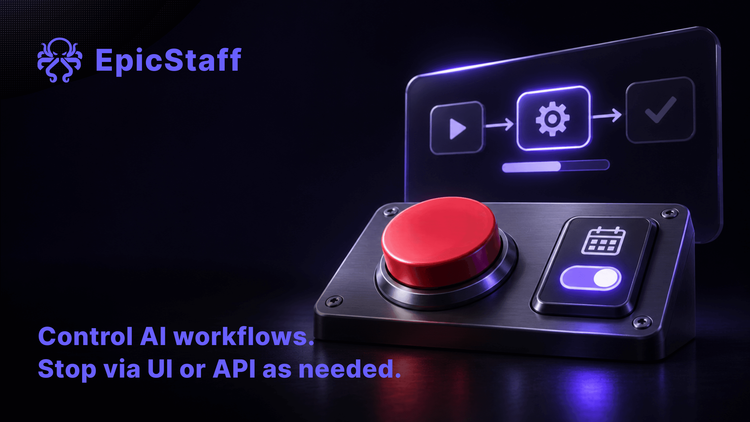
In EpicStaff: You can stop a running flow from the UI or with one API call.
2. What happens to the step in progress, and what does the record show?
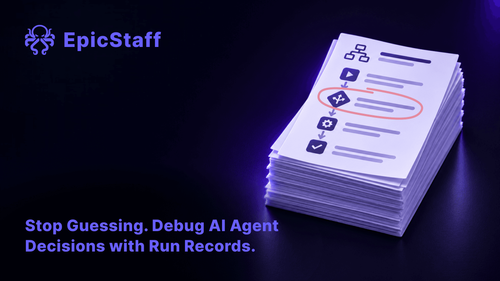
When you press stop, a long run is usually inside a step: a model call, a tool call, a write to another system. A platform can cut that step off, or let it end and stop before the next one. If the step ends normally, its write to another system may still happen. Find out which design you have, and what the run record shows afterwards: the status, and how far the run got. Test it: start a run with a slow step, stop it in the middle of that step, then read the run record and the outside system. For what else a run record should hold, see The agent finished. Nobody can say what it did.
In EpicStaff: Stop does not cut off a model or tool call that is already running. That call finishes, its result is dropped, and the run starts no further call or step. The run record shows the last step the run reached.
3. Can anything start the stopped run again by itself?
This is the question of the first two reports. A stopped run can come back through a retry, a queue, a worker that picks up an unfinished job, or a restart of the server. Find out which of these your platform has. After a test stop, and again after the next planned restart, look in the run list for a new run of the same flow with the same input. For what a restart leaves behind, see The server will fail. What matters is what survives it.
In EpicStaff: A stopped run is not started again automatically; a new run needs a person, an API call or a trigger.
4. Does stopping a run also stop what it started?
Many flows start other work: a sub-workflow inside the same run, or a separate run through an API call. Stopping the parent can stop both, one of them, or neither. Find out which. Build a small test: a parent flow that starts a child flow with a slow step. Stop the parent, and check whether the child is still running.
In EpicStaff: Stopping a run also stops the sub-workflows it started inside the same run; a separate run started through the API is its own run, and you stop it on its own.
5. How do you keep a flow from starting at all?
Stopping one run does not stop the next one. The next run comes from a trigger: a schedule, a webhook, a chat channel, another system. Check how you switch off each kind of trigger, and whether the switch-off holds after a restart. For a webhook, the answer can sit outside the platform: at the system that sends the calls, or at a gateway in front of the server. Pause each schedule before planned maintenance, and switch it on again afterwards on purpose. For a trigger that says on when nothing ran, see The trigger says on. That does not mean it ran.
In EpicStaff: Schedules can be paused and stay paused after a restart.
6. Plan what happens after the stop
A stopped run is half a job. Some steps wrote, some did not, and one step may have finished after you pressed stop. Before you start the flow again, list what the stopped run wrote to other systems. Then decide for each write: keep it, undo it, or finish the work by hand. A new run is a simple decision only when every step that writes is safe to run twice. For runs that start twice, see The retry ran it twice.
Ask the three people again
Go back to the three people from the start. After the tests above, they should give one answer, and it fits in three sentences. Stop takes effect at this point in a run. It leaves these things behind, and here is where we look for them. Only these can start the work again, and this is how we switch each one off.
Fill in the blanks for each long-running flow, from what your tests showed, not from what anyone expects. Put the three sentences next to the stop call and the trigger switch, where the person on call will find them. Then ask the same three people again. If their answers still differ, one of the tests has not been run yet.
Q&A
Why did my cancelled workflow run again?
Usually because something outside the cancelled run started the work again. Common causes are a retry by the caller, a job still waiting in a queue, a worker that picked up an unfinished job after a crash, or a trigger that fired again. Compare the start time and the input of the new run with the cancelled one. The same input and a start soon after the cancel point to a retry or a queue; a start at the next scheduled time points to the trigger.
What happens to an API call when an AI agent run is stopped?
A request that the agent already sent usually reaches the other system, even if the run stops while it waits for the answer. So an email, a record or a payment can exist although the run itself has ended. After a stop, check the other system for the last action the run started, and do not repeat it until you know whether it went through.
Is it safe to restart the server while workflows are running?
It depends on what the platform does with unfinished runs: it can resume them, start them again from the beginning, or close them. The safe order is the same everywhere. Switch off the triggers first, let the running runs end or stop them, then restart. Afterwards, list the runs that did not finish, check what they wrote, and switch the triggers on again one by one.
Can you stop a running flow in EpicStaff?
You can stop a running flow from the UI or with one API call. Stop does not cut off a model or tool call that is already running. That call finishes, its result is dropped, and the run starts no further call or step. The run record shows the last step the run reached.